
Businesses are always on the lookout for the tools & solutions that can help them work more efficiently. They prefer software and tools that streamline their operations, bolster their security, increase work productivity, and help them collaborate and grow as a business. The Portable Document Format (PDF) — one of the most popular document formats in use today — is one such helpful tool for businesses. Although several other document formats exist, PDFs have proved to be a versatile and reliable option for businesses. From legal documents, contracts, and presentations to invoices, memos, and reports, PDFs have become an essential part of businesses of all sizes and forms.
PDF files offer numerous advantages and benefits. If your business hasn’t already embraced PDFs in your internal processes and workflows, here are seven compelling reasons why you should strongly consider switching to PDFs.
1. PDFs are open and universal
The PDF file format is an open standard under the International Organization for Standardization (ISO). The specs of this format are publicly available for anyone to use and adapt, which means support for PDFs can be added to any software or app without worrying about proprietary licenses or fees. This open nature of PDFs has resulted in the PDF format being supported on all types of devices, operating systems, and software platforms.
Given any PDF file, not only can it be viewed on any smartphone, tablet, or computer in your business, but support for it can also be added to any existing software or tools that are already being used by your business. Not only that, you can rest assured that any PDFs that you share with your clients, vendors, or customers will also be viewable by them without issues.
Being an open and universal format has ensured the widespread adoption of PDFs across various industries and platforms. You, too, can get started by introducing PDFs to your business by downloading PDF Expert — the best PDF editor app for businesses. With PDF Expert, your teams can view, create, edit, annotate, and sign PDFs all in one place and collaborate more efficiently and effectively.
2. PDFs guarantee document integrity
The open and universal format of PDF also guarantees document integrity — which means that any PDF file will look and function exactly the way it has been created, irrespective of the device or screen it is viewed on. Imagine the countless hours that your team members or peers have spent formatting the content in a Word document, only for it to break down because the client does not have the same version or device type. With PDFs, you no longer have to worry. Once you create and save a PDF file, it will retain its layout, fonts, colors, and any other formatting on every device and browser — every time.
The next time you put hard work into a presentation or proposal, you can rest assured that the recipient will see precisely what you intended to show them. Even when you try to print a PDF file, what you see on the screen is what will end up being printed on the paper.
3. PDFs offer security
Security is a significant benefit of using PDFs, making them ideal for businesses who need to protect sensitive or confidential information. There are a few different ways you can secure a PDF file, depending on the level of confidentiality and sensitivity of the document.
For starters, you can secure any PDF file with a password to prevent unauthorized access. The contents of that PDF document cannot be viewed unless the password is entered. This is particularly useful when sharing confidential documents like contracts, financial reports, or legal papers. Even if someone gains access to the file itself, they’ll be unable to open it without knowing the password for it.
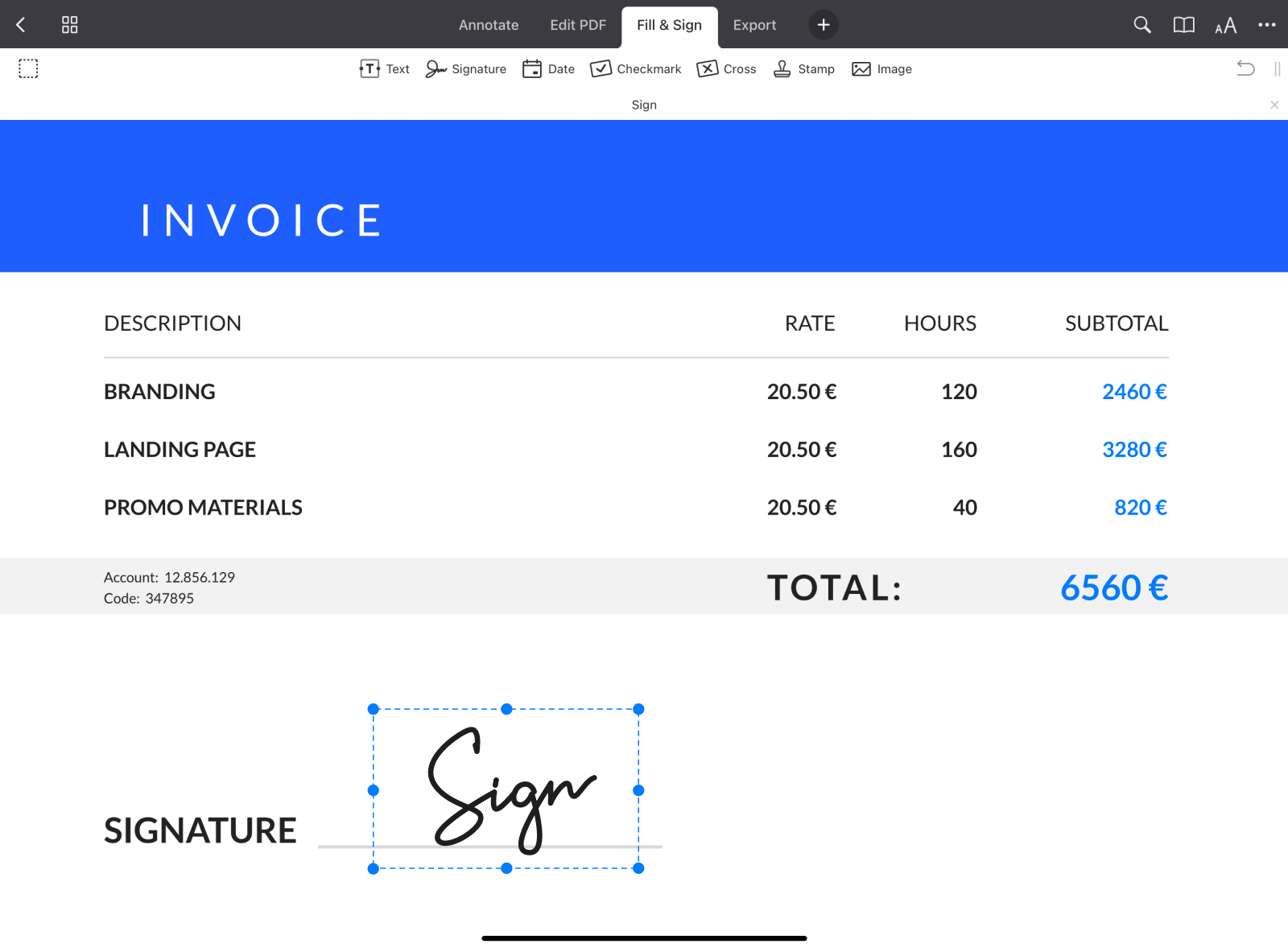
PDFs support the use of digital signatures, which are legally recognized electronic signatures that verify the authenticity of the document and the signer’s identity. This feature is crucial for ensuring the legitimacy of contracts, agreements, and other formal business documents, reducing the risk of fraud or tampering. By using PDFs in your internal processes, you can ensure that your business team documents are authentic and verifiable.
Another vital security measure that can be added to PDF for business documents is access control. A document creator can set specific permissions to control what actions can be taken by anyone viewing the document, such as restricting the ability to print or edit the document. This ability ensures the integrity of the document and safeguards sensitive information from being altered or extracted by bad actors.
4. PDFs make professional-looking documents
The PDF file format supports a wide variety of formatting options and capabilities. You can create a PDF document with your choice of fonts for the text, add any number of images or hyperlinks, annotate the document with your choice of colors, shapes, and stickers, and so much more. All of this is preserved beautifully, no matter where the PDF document is viewed. Maybe you’ve created a beautiful presentation instead of a Word document. That, too, can be exported as a PDF, ensuring that all the formatting of the slides and accompanying data is preserved.
The PDF format offers the flexibility to design your documents exactly as you need while preserving their integrity across any platform. It ensures that your content remains consistent and professional, no matter how or where it's viewed. For businesses, PDFs are an indispensable tool, combining customization with reliability to meet a wide range of document management needs.
5. PDFs are compact and portable
PDFs can efficiently house a range of different content types, from text, images, shapes, and links to multimedia, stickers, and interactive elements — all while maintaining relatively small file sizes. The PDF file format uses advanced compression to reduce the size of embedded elements without sacrificing quality, making it easy to share and store complex documents. Whether you're including high-resolution images, charts, or interactive forms, the PDF keeps everything in a single, manageable file. And for those times when you run into file size restrictions, you can easily compress PDF file size with apps like PDF Expert.
This makes PDFs ideal for businesses looking to create professional, easy-to-share documents without worrying about file size or platform limitations.
6. PDFs enable collaborative workflows between teams
PDFs are hugely beneficial to business teams owing to their collaborative capabilities. They facilitate easy sharing, reviewing, and editing among multiple users. The ability to add annotations, comments, and markups directly on the document allows team members to highlight text, leave feedback, or draw shapes, making it simple to discuss and refine content together. This functionality promotes clear communication, as team members can address each other's comments without altering the original document, thereby reducing the risk of accidental changes.
As the PDF format is open and universal, the files can be accessed on any device or operating system, which is crucial for teams that may be working remotely or using different software. The format's ease of sharing—whether through email, cloud storage, or collaboration platforms—ensures that everyone can review the document without losing quality or formatting. These features make PDFs an ideal tool for collaborative workflows, enabling seamless cooperation and efficient document management across teams.
7. PDFs are an excellent archiving format
PDFs are widely regarded as the standard format for long-term document storage due to their ability to preserve the integrity and appearance of documents over time. As an open standard, PDFs ensure that files remain accessible and readable across different platforms and devices, even as technology evolves, saving the typical hassles and expenses of a proprietary format. This is crucial for businesses that need to maintain official records, legal documents, and important communications for several years or decades. The small size of the PDF files also ensures efficiency in storage requirements.
By using PDFs for archiving, organizations can be confident that their documents will retain their original formatting, fonts, and graphics, reducing the risk of information loss or misrepresentation. Using PDFs for archiving not only meets the needs of document preservation best practices but also provides a reliable and secure solution for businesses to manage their critical information effectively.
In conclusion, the versatility and reliability of PDFs make them an essential tool for businesses. With their universal compatibility, stellar security features, portable nature, and collaborative capabilities, PDFs provide a comprehensive solution for business teams to create, share, and archive documents efficiently.
To fully leverage the advantages of PDFs, we recommend downloading PDF Expert, a powerful and feature-rich PDF editing app that allows users to create, edit, annotate, and manage PDF files seamlessly. Whether you’re a small startup or a large corporation, PDF Expert can help streamline your workflows, protect sensitive information, and improve collaboration, making it a valuable addition to your business toolkit.