Every educator knows the "Sunday Scaries." It’s that moment when you realize you have a 50-page academic paper to synthesize into a 45-minute lesson, a stack of PDFs to turn into quiz questions, and a rubric to design—all before Monday morning.
Here are five tried and tested AI Prompts for PDF Copilot in PDF Expert from our educators’ community. Use these to speed up daily tasks and do the groundwork for you.
1) Extract Lesson Materials Fast
Context: You need to quickly prepare a handout material based on a complex 40-page textbook chapter.
Prompt: "Extract the 5 key definitions from Pages [X–Y], the 3 main conceptual diagrams and their descriptions, and the 2 most controversial historical arguments mentioned in the text. Format this into a single, clean bulleted list for a classroom handout."
2) Generate Exam Questions from Reading
Context: You need quiz questions on a recent reading assignment by tomorrow morning.
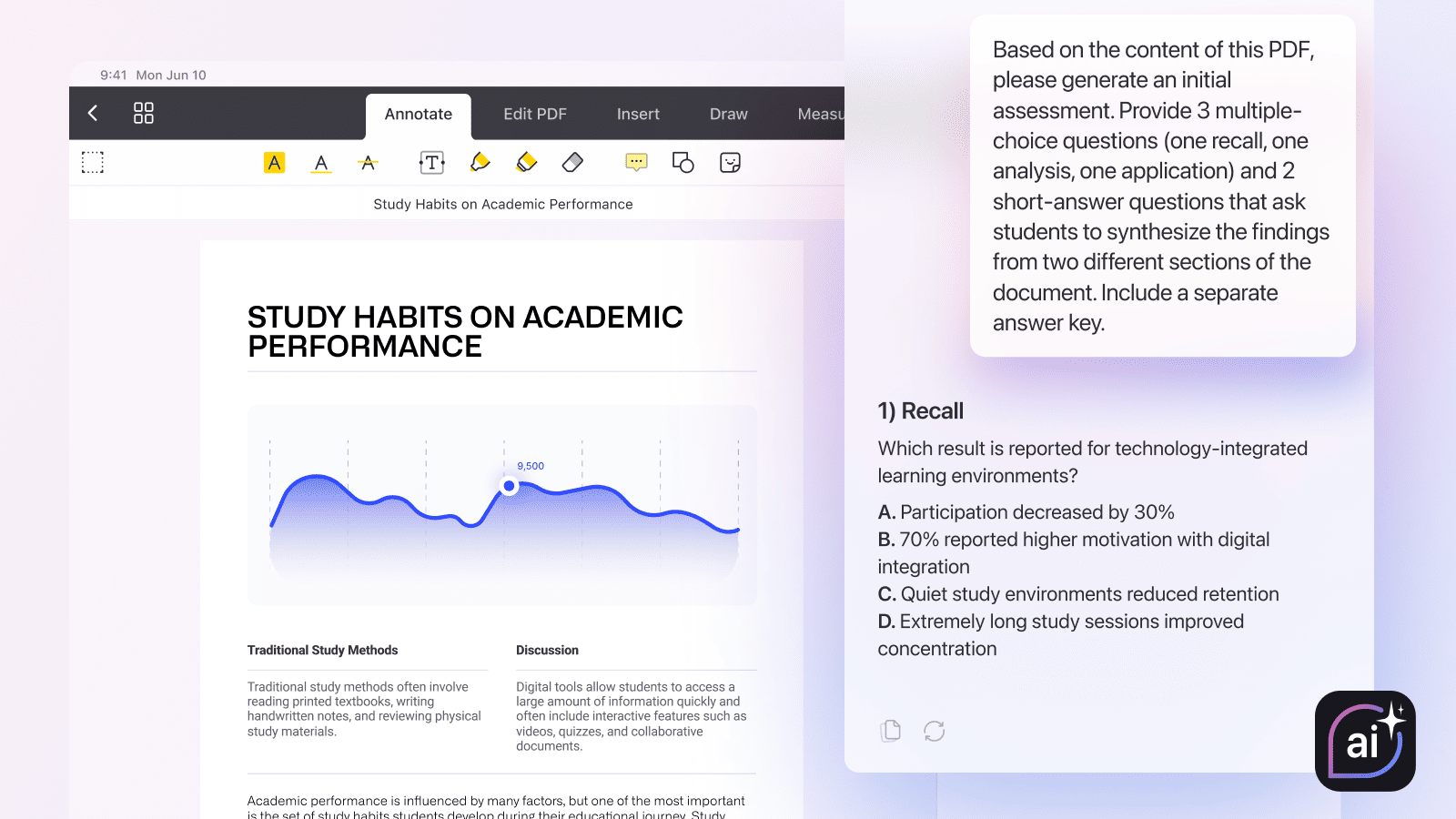
Prompt: "Based on the content of this PDF, please generate an initial assessment. Provide 3 multiple-choice questions (one recall, one analysis, one application) and 2 short-answer questions that ask students to synthesize the findings from two different sections of the document. Include a separate answer key."
3) Plan a Creative, Unexpected Lesson Activity
Context: You are covering the same topic again, and your students are bored. You need an activity that breaks the usual lecture/debate cycle.
Prompt: "I need a classroom activity based on this PDF content. Crucial: Do not suggest a standard debate, a timeline, or an essay. Brainstorm a truly unusual, multi-step lesson activity that forces students to interact physically or spatially with the data in this PDF. Think outside the box—maybe a simulation or a role-playing scenario."
4) Convert a PDF into a Teacher Cheat Sheet
Context: You need to answer student questions on an advanced academic paper, but you don't have time to re-read it.
Prompt: "Please create a one-page 'Teacher Cheat Sheet' for me. Summarize the 3 most likely student misunderstandings based on this text, and provide 2 clear analogies or examples that I can use to explain each concept, derived directly from the evidence presented in the PDF."
5) Instantly Create a Rubric for a PDF-based Assignment
Context: You've just created a new, specific essay assignment based on a PDF you provided to the class, and now you need a grading rubric.
Prompt: "Students must analyze the [TOPIC] and write an essay based on this PDF. Generate a grading rubric for this assignment using a standard 3-tiered scale (Needs Improvement, Good, Excellent). The rubric must evaluate (1) Evidence integration from the specified PDF, (2) Argument structure as defined in the assignment, and (3) Clarity of expression. Use clear, objective criteria that map precisely to the instructions."
How to start with PDF Copilot: A 60-Second Manual
You don’t need to be a tech expert to start using AI in your classroom. Here is how to activate your new teaching assistant:
- Download PDF Expert for Mac or iPhone/iPad.
- Open your document: Launch PDF Expert on your Mac, iPad, or iPhone and open any PDF (textbook, research paper, or curriculum guide).
- Tap the AI icon: Look for the PDF Copilot icon (the ai symbol) in the toolbar. PDF Copilot is available during a free 7-day trial.
- Ask Copilot: You can select a "Quick Action" like Summarize or List Main Points, or type your prompt into the chat box.
- Refine & review: Ask follow-up questions to tweak the output.
Lesson prep in one app
The true power of PDF Copilot lies in its integration with PDF Expert. As an educator, you no longer need to copy-paste text into a separate browser-based AI, wait for a response, and then move it back.
By having all your tools in one place, you can:
- Annotate a paper while the AI explains a complex term.
- Edit a PDF textbook directly after the AI suggests a correction.
- Organize and merge multiple sources before asking the AI to find a trend across them.
PDF Copilot doesn't replace the teacher; it replaces the busywork. It’s the smartest teaching assistant you’ve ever had—one that doesn’t need coffee and actually reads the syllabus.
Download PDF Expert and try PDF Copilot today
 Yevheniia Dychko