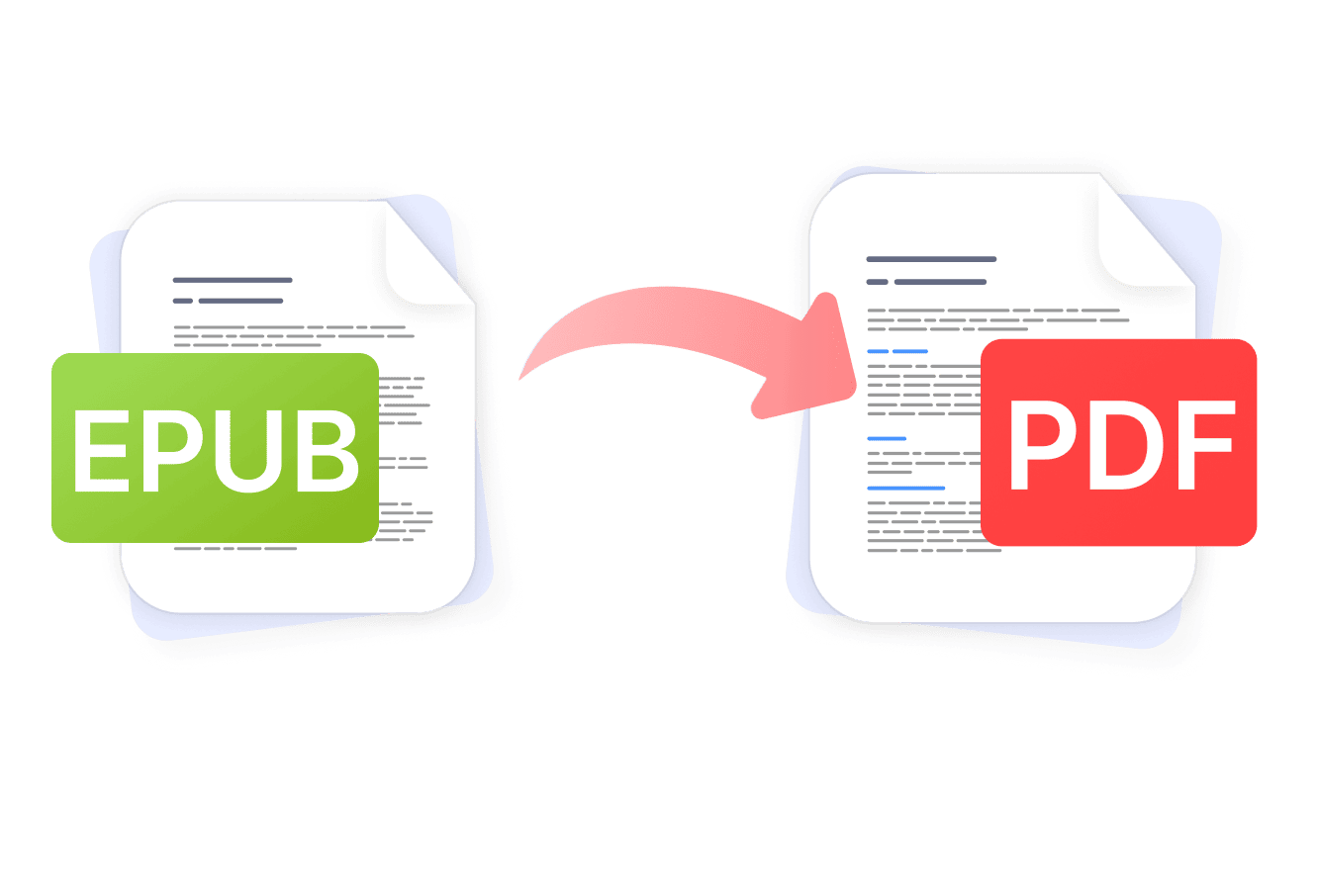
eBooks are great for reading on a Kindle or in a dedicated reader app — until you need to share them, print them, or view them on a device that doesn't support the format. Converting EPUB to PDF solves that instantly: you get a universally readable file that looks the same on every device, in every app, every time. PDF Expert makes the whole process quick and straightforward, whether you're on a Mac or iPhone, and keeps your content secure throughout.
Why use PDF Expert as your EPUB to PDF converter
When you need to transform EPUB to PDF document, you want a tool you can trust. PDF Expert handles conversion through a secure, established workflow and gives you a fully usable PDF the moment the process is done.
Here's what sets it apart:
- Privacy first. Your files go through a secure conversion process. PDF Expert is a safe software, trusted by over 30 million users worldwide.
- No watermarks or restrictions. The resulting PDF is entirely yours to use, share, or edit.
- Formatting and layout preservation. Text, images, chapters, and tables of contents are carried through the conversion with care, so the finished PDF reads the way you'd expect.
- Editing tools built right in. Once the conversion is complete, you can annotate, highlight, sign, fill forms, compress, or merge the PDF — all without leaving the app.
- Works across all your Apple devices. One account covers Mac, iPhone, and iPad, so you can convert on whichever device is in your hand.
Why convert EPUB to PDF
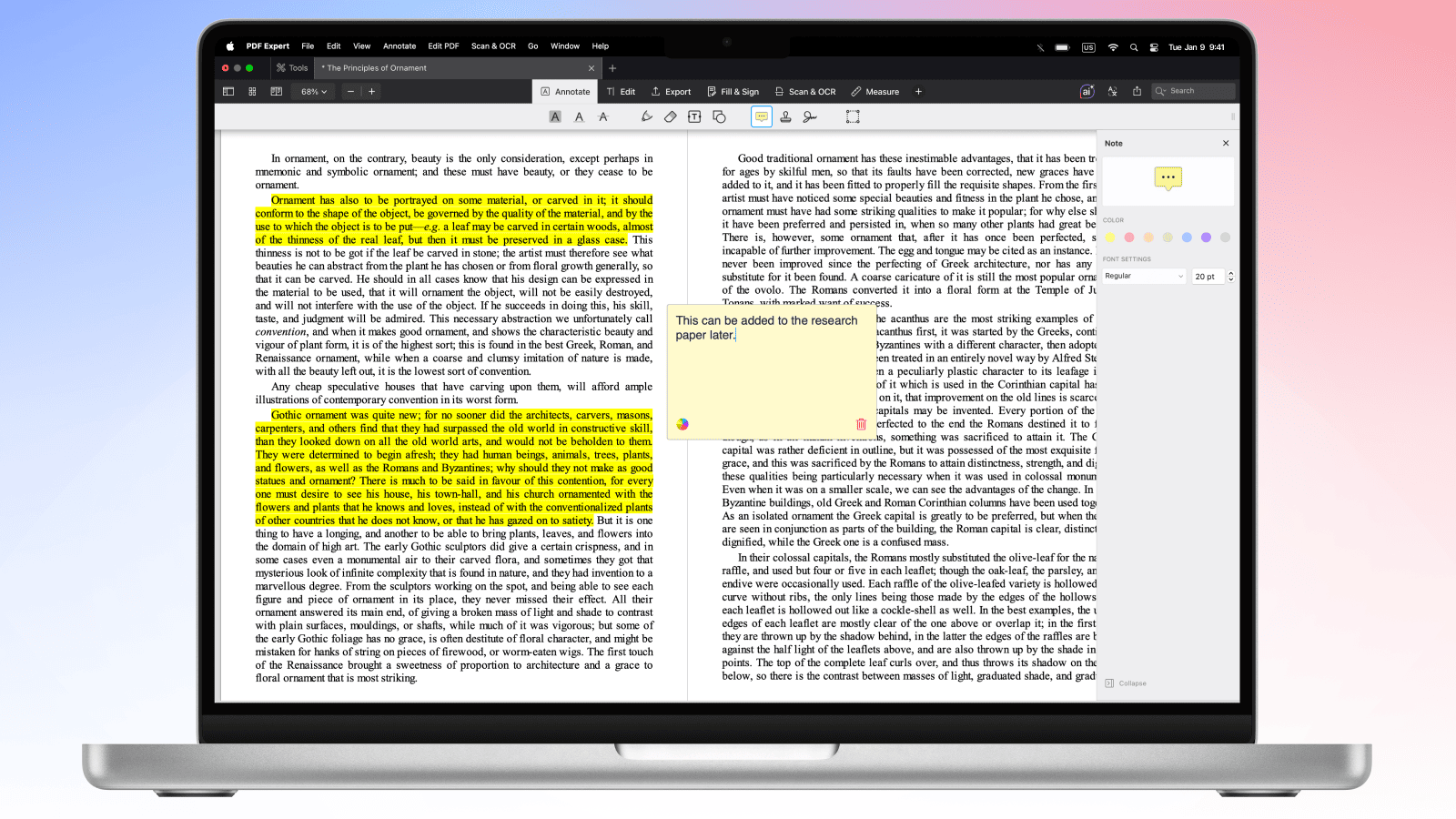
The EPUB format works well inside dedicated eBook readers, but it has real limitations outside of them. Here's when making the switch to PDF is the right call:
- You need to share the file broadly. PDFs open in virtually every app and browser, so recipients don't need any special software.
- You're printing the document. EPUB files aren't designed for print; PDFs give you consistent pagination and layout.
- You want a fixed, stable layout. EPUB content reflows depending on screen size. A PDF looks identical regardless of where it's opened.
- You need to annotate or mark up the content. It’s easier to annotate PDFs in a dedicated app like PDF Expert, with a full set of annotation tools.
- You're archiving the document. PDF is the standard format for long-term document storage and is widely accepted for institutional or legal purposes.
How to convert EPUB to PDF on Mac in PDF Expert
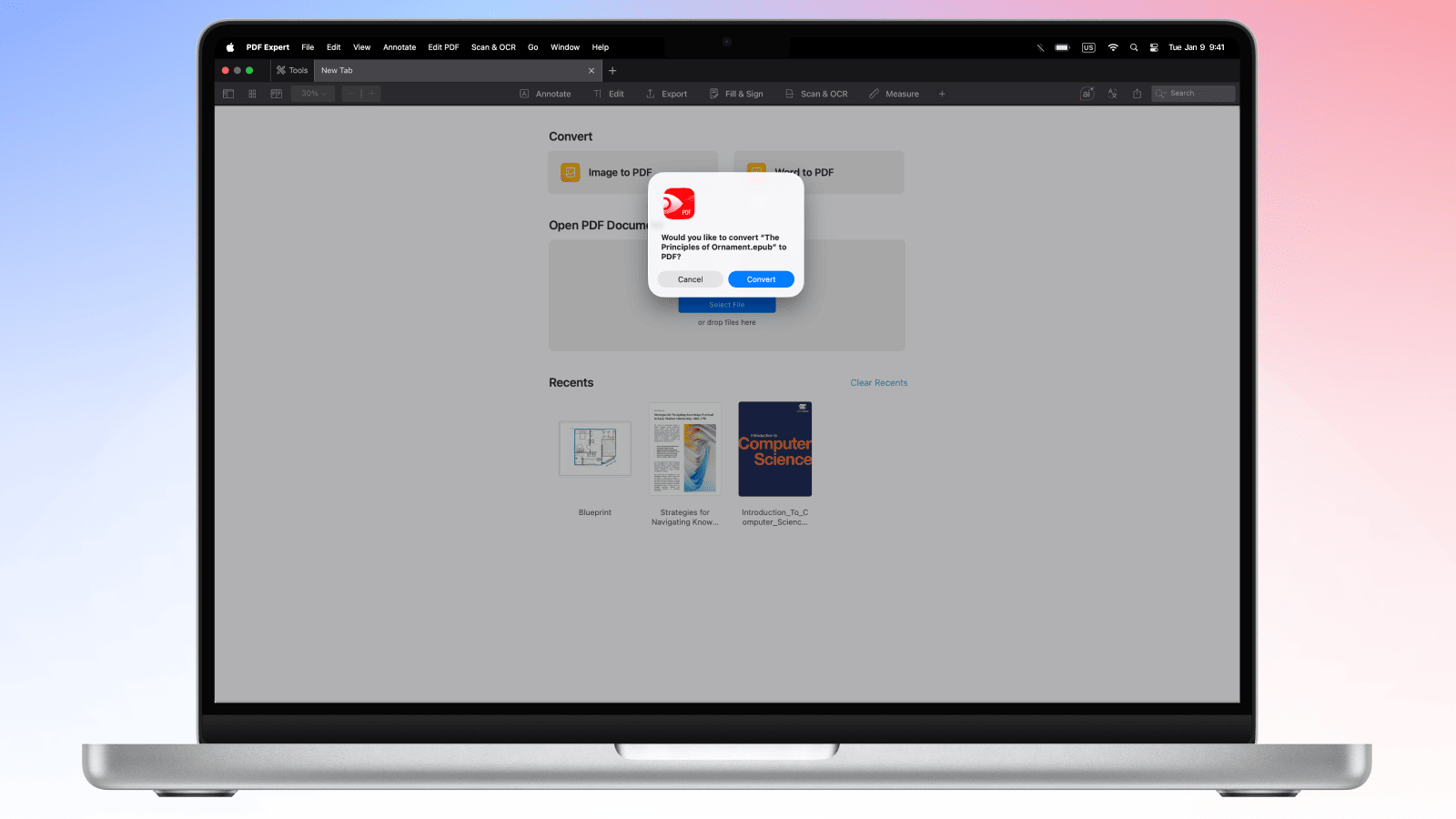
This is the fastest way to handle eBook PDF conversion on a Mac.
- Download and open PDF Expert on your Mac.
- Drag and drop the EPUB file directly onto the PDF Expert window.
- PDF Expert detects the EPUB format and prompts you to convert it to PDF. Click Convert to confirm.
- The finished PDF opens automatically in PDF Expert, ready to view, edit, or share.
- Go to File > Save to save the PDF to your preferred location.
Pro tip: Once your EPUB is a PDF, you can use PDF Expert's editing tools to add annotations, highlight key passages, merge chapters from multiple files, or compress the file before sending it on.
How to convert EPUB to PDF on iPhone and iPad
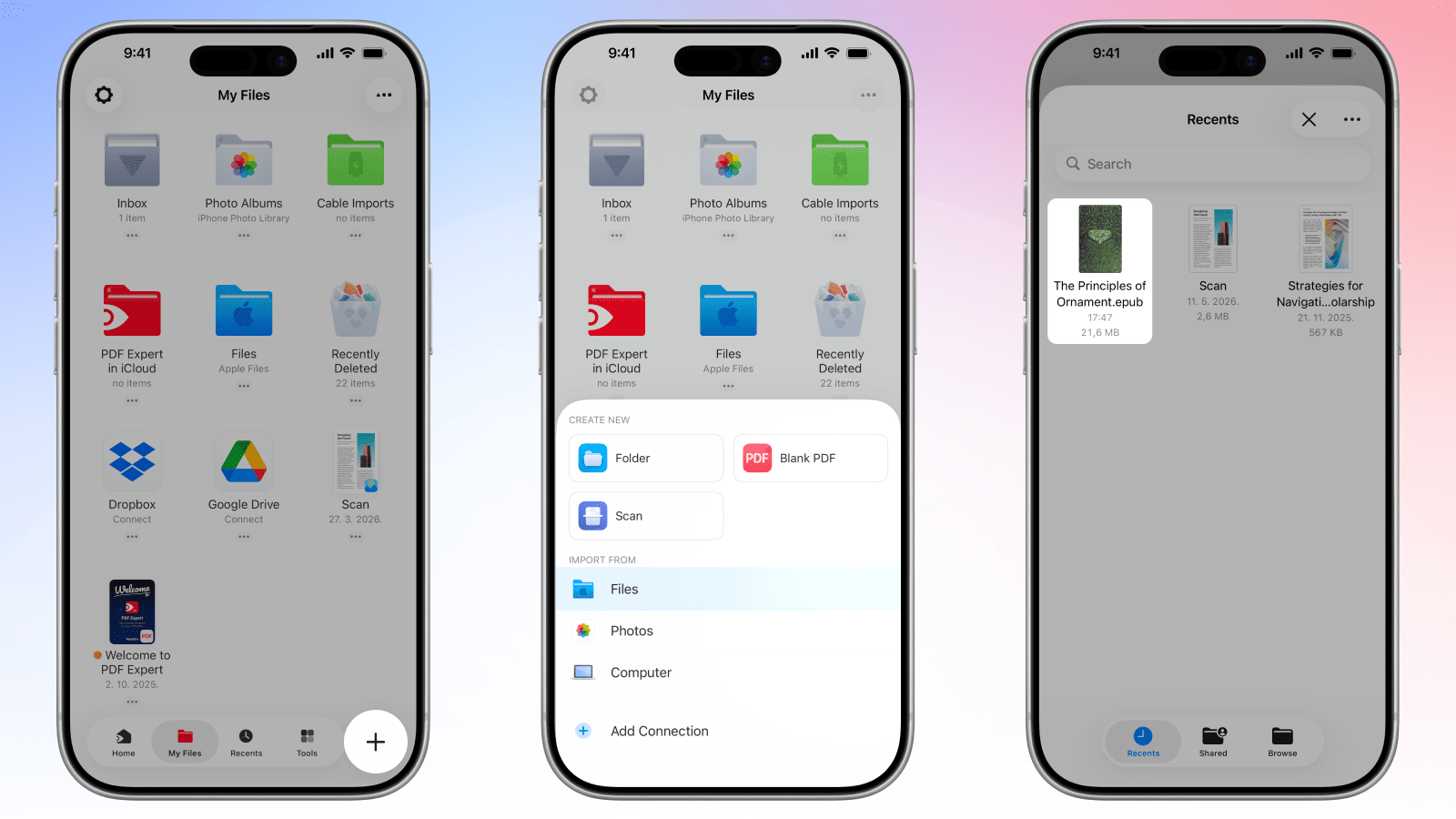
The process on iPhone and iPad is just as straightforward. PDF Expert brings the same eBook PDF conversion capability to mobile, so you're never stuck waiting until you're back at your desk.
- Download PDF Expert from the App Store and open it.
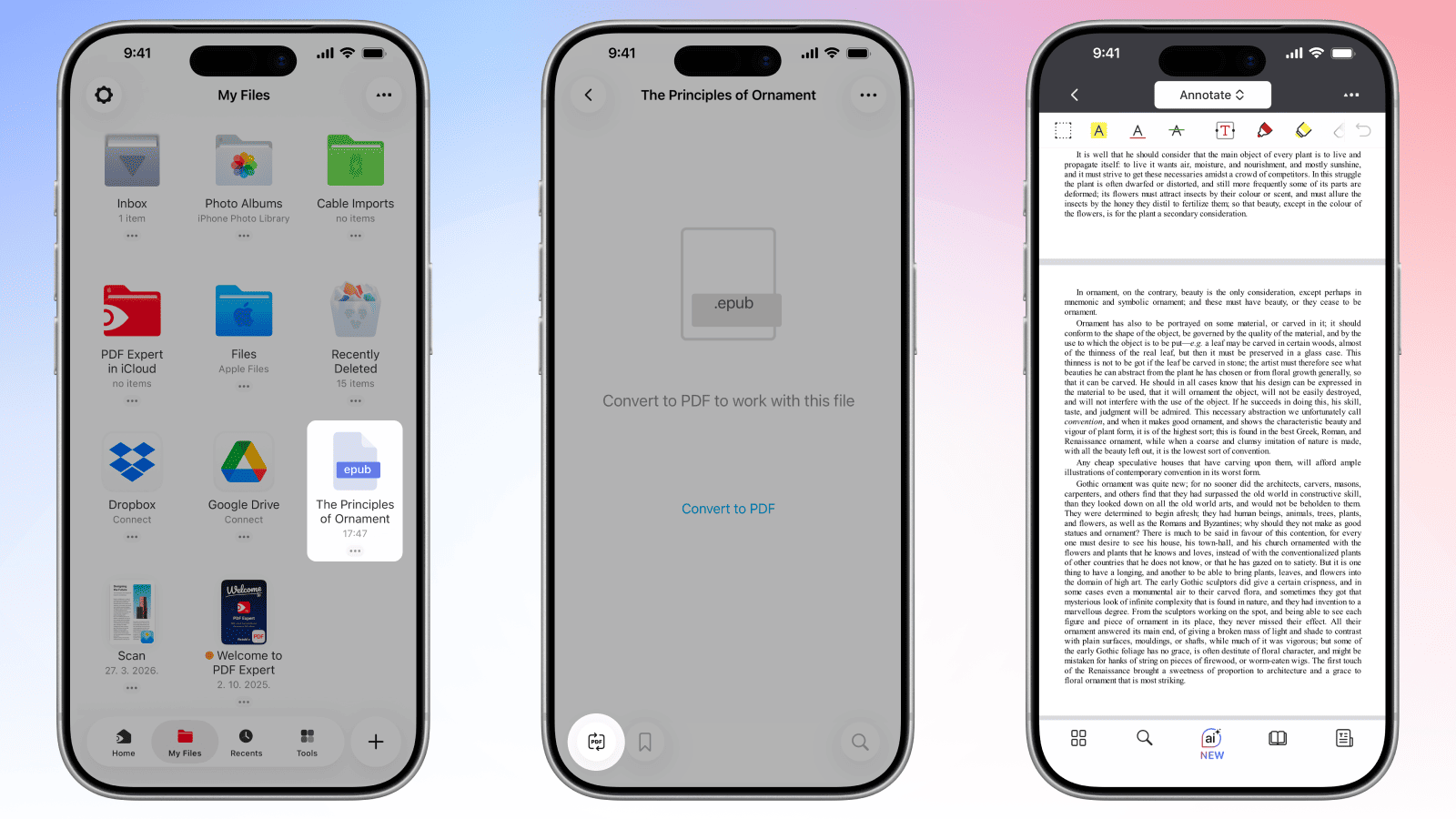
- Tap the + button to locate your EPUB file — you can pull it from Files, iCloud Drive, Dropbox, or any connected storage.
- Choose the EPUB file to add it to ‘My Files’ folder in PDF Expert. Tap on it to open, and PDF Expert will prompt you to convert it to PDF.
- Tap Convert to PDF. The PDF opens automatically once it's ready.
- Tap three buttons icon > Share or Email to export the finished file wherever you need it.
EPUB to PDF conversion: FAQ
Will EPUB to PDF preserve the book's layout?
For most EPUB files, yes — the conversion does a solid job of carrying over the structure, including headings, paragraph breaks, images, and general formatting. That said, because the PDF Expert conversion uses an established third-party processing service, results can vary slightly depending on the complexity of the original file. Custom fonts may be substituted if the exact typeface isn't available during processing, and very long paragraphs occasionally reflow across pages. In practice, the converted PDF is clean, cohesive, and readable the vast majority of the time.
Can I convert illustrated EPUB files to PDF?
Yes. Images embedded in your EPUB — illustrations, diagrams, cover art, charts — are included in the converted PDF. The conversion process preserves them as part of the document rather than stripping them out, so illustrated eBooks and graphic-heavy reference materials convert well.
How does the converter handle EPUB chapters?
EPUB chapters are carried through into the PDF as continuous sections of the document. If your EPUB has a table of contents, it will typically be preserved as well, appearing in the PDF in its original location. Navigation through the finished PDF works the way you'd expect from any well-structured document.
Will the table of contents be preserved?
In most cases, yes. The table of contents from the original EPUB is included in the resulting PDF. Depending on the complexity of the EPUB's structure, internal links within the TOC may or may not remain active, but the text and layout of the contents page are preserved.
Can I adjust page size when converting EPUB to PDF?
The conversion produces a standard page size output. If you need a specific page size, you can adjust the PDF after conversion using PDF Expert's editing tools on Mac (Edit > Page Resize), or use the print settings when saving to apply a custom paper size.
Does EPUB to PDF support DRM-protected files?
No. DRM (Digital Rights Management) protection is a lock applied by publishers or retailers to prevent unauthorised copying or redistribution. PDF Expert cannot convert DRM-protected EPUB files — and no legitimate converter should. If you own the content and need a PDF version, check whether the publisher offers a DRM-free edition, or contact the retailer where you purchased the eBook.
Is the EPUB to PDF conversion secure?
Yes, it is secure. PDF Expert conversion requests are processed on our server with the assistance of a third-party provider. Users’ security and privacy are among our top priorities. Before engaging any third party, we conduct a vendor assessment to ensure our providers meet GDPR compliance requirements, ISO certification, and the highest industry standards. Your files are used only to deliver the service you requested. We do not read, persistently store, or share your file content, nor do our engaged processors. All files are deleted within 24 hours after completion of their conversion request.
To ensure additional security, you can add password protection directly in PDF Expert to restrict who can open or edit the resulting PDF.
