Have you ever stared at a giant textbook, dreading hours of reading and studying with an exam breathing down your neck? Before, there were only two options: endless highlighting, scribbling notes, and praying that you retain something, or giving up.
The power of AI changes everything. You can now study better by automatically generating study aids from PDFs.
However, did you know that you don’t even need to use an additional external website for this task?
Your PDF editor can do everything for you. Yes, you can whip up quizzes, extract key ideas to make complex ideas click like puzzle pieces.
Using a PDF study tool like PDF Expert, students can change the way they interact with documents and learn information.
So, how can you make it work for you? Let’s jump straight into the details.
Why does generating AI study aids from PDFs work
According to cognitive science, one of the most powerful techniques for remembering information is active recall. This method forces you to retrieve information you’ve already registered in your brain by repeatedly testing yourself.
By activating the “testing effect”, your brain moves information from short- to long-term memory. Instead of passively reading a document, active recall helps you actively remember information, leading to stronger memory formation and better long-term retention.
You can turn your PDF into active recall tools and train your brain to learn faster. Quizzes and smart notes can help you:
- Save time. Skip hours of highlighting and retyping notes, just upload your PDF to PDF Expert. Now you can spend more time learning and less time preparing to learn.
- Never miss a thing. PDF AI tools can scan every line and flag every important concept or theme. You’ll never accidentally skip over crucial information again.
- Create personalized materials. Advanced tools can fully adapt to your learning style and progress, so that you can focus on areas where you need more practice.
- Study anywhere. Digital study aids sync across your iPhone, iPad, and Mac so that you can learn and revise on the train, bus, or even at lunch.
- Maintain focus: Passive reading puts your brain on autopilot. Interactive quizzes and smart summaries can keep you locked in and focused during your study sessions. Combine automatically generated study aids with active reading – highlight and annotate PDFs to keep your notes organized and easy to review later.
What can these PDF study tools do?
Turn PDFs into interactive quizzes
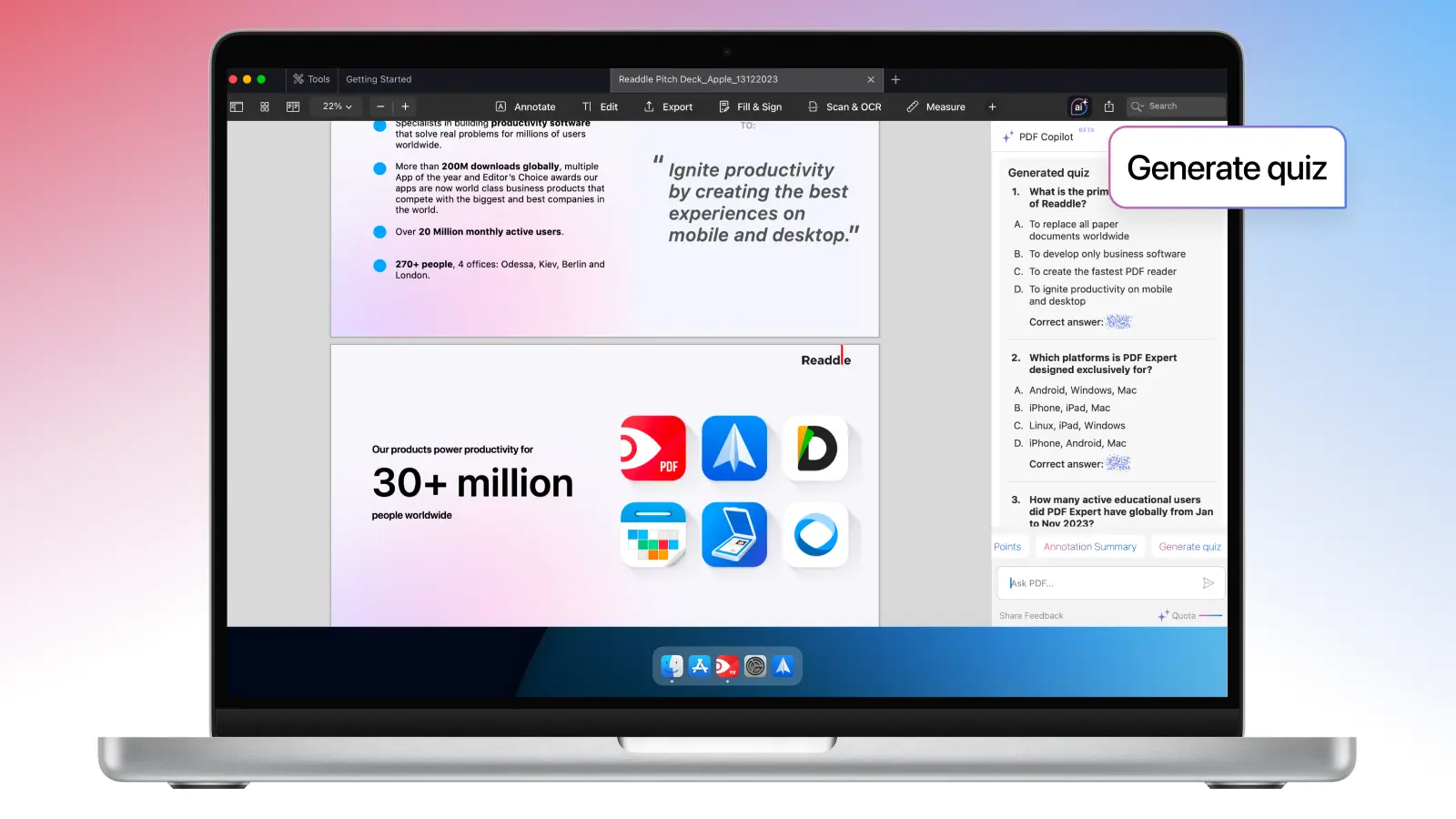
Forget about physical cards: modern tools can transform your PDF into quiz cards with multiple question formats.
Multiple choice questions, true/false statements, fill-in-the-blank exercises, short answer prompts, or even scenario-based tasks – you name it. These formats let you test your knowledge from every angle and retain information longer.
Summarize PDFs into study notes
Sometimes you just need a quick refresh after reading a long PDF.
You don’t have to re-read everything anymore – auto summary PDF to study notes features can help you extract main ideas from each section or chapter, create bullet-point summaries, highlight critical information, and organize the content into short, understandable paragraphs.

Build a study guide
Creating study guides from your PDF materials can be even more useful than short summaries – it gives you a customized learning plan. You can further customize the guide to your learning style by editing, rearranging, or even adding your own notes.
Create topic outlines, learning objectives, include main concepts with explanations, practice with various difficulty questions, get review checklists, and even more. By organizing and structuring information, you will tackle complex subjects more easily, without feeling overwhelmed.
How to get the most out of PDF study tools
1. Start with a quality document
If you want the best results, upload clear, well-organized PDFs. If you don’t have a PDF version, you can scan it using PDF Expert. The app has a built-in OCR (Optical Character Recognition) feature that recognises 20+ languages, making text searchable and study aids easier to create.
2. Mix study formats
Don’t rely on just one format – always mix and match to get the most out of your PDF. Use flashcards for memorization, mind maps for understanding connections, and quiz cards for testing. By using a multimodal approach, not only will you have more fun while learning, but you also engage different cognitive processes, helping you absorb material better.
3. Follow spaced repetition principles
Review materials by gradually increasing the time between revisions. After the first study session, your brain retains only 20% of information, around 60% after the first review, and 80% after the second.
So what can you do? Create a study schedule and set reminders to revisit your flashcards, mind maps, and other materials. A common pattern looks like this: 1 > 3 > 7 > 14 (review on day 1, day 3, day 7, and day 14 from when you start).
The main principle is to avoid delaying your first review, and once you complete it, gradually expand the interval every time.
4. Test yourself regularly
Test yourself before you feel ready. The struggle to remember strengthens neural pathways more than reading does.
Make active recall practice a daily habit – simply ask the AI tool to quiz you and generate different questions every time.
Who can benefit from automatically generated study aids?
Short answer: everyone who reads PDFs and needs to remember them can benefit from automatically generated study aids. AI can transform your PDF into an interactive study companion instead of a static document.
Let’s have a closer look at who can benefit from this feature (and why you might be one of them).
University and college students
Students face the challenge of juggling multiple courses at the same time. This almost always requires reading lengthy texts on a weekly basis.
How study aids can help:
- Pre-class preparation, converting any chapter into study materials before lectures
- Exam review materials from the whole semester’s PDF
- Generate practice questions that can mirror the actual exams
- Manage time more effectively, reducing study preparation from hours to minutes
- Generate concept explanations from technical materials (especially critical for students in engineering, business, and sciences)
Medical students
Some educational paths require dealing with massive amounts of dense material, including complex biochemical interactions, anatomical terminology, and various diagnoses. Active recall materials are especially useful for exams like the USMLE, COMLEX, and board tests, where regular self-testing significantly improves results.
How study aids can help:
- Generate different scenario questions from case studies
- Build comprehensive notes of interconnected topics
Law students and bar exam candidates
Law school is a marathon of reading, learning, and memorizing. With massive amounts of statutes, legal principles, and case law, the volume of material can feel endless. Automatically generating study aids from PDFs can not only help you prep for the bar but also understand, process, and remember complex legal concepts better.
How study aids can help:
- IRAC breakdowns and element charts
Generate quizzes and practice essays from case briefs
Create different jurisdiction comparison tables
Organize materials across multiple cases
Professionals preparing for certifications
Working professionals trying to obtain certifications like PMP, CPA, CFA, AWS, CISSP, or industry-specific credentials often face the same challenge: studying after work while managing family responsibilities.
How study aids can help:
- Quick information extraction from study guides and reference materials
- Generating practice exams with actual testing conditions
- Building quick-reference guides for topics you struggle with most
- Creating portable study materials that you can use during commuting
Graduate students and researchers
Master’s and doctoral students, as well as academic researchers, can also benefit from AI study aids from PDFs. They often need to consume enormous amounts of literature, filled with methodology, theoretical frameworks, and complex findings. Instead of spending weeks summarizing papers, researchers can consume materials in days.
How study aids can help:
- Extracting key findings and methodology summaries
- Generating comparison tables
- Building conceptual frameworks
Try PDF Copilot – your dedicated AI assistant
PDF Expert by Readdle has created one of the best PDF tools on the market – PDF Copilot. And while you have probably already used it for a number of other reasons, PDF Copilot has become a personal assistant for all students and teachers, specifically for study aids.
If you’ve ever wished your documents could just explain themselves, PDF Copilot is exactly that. It’s designed to help students, educators, and researchers turn complex information into clear, actionable insights, without switching tabs or copying text.
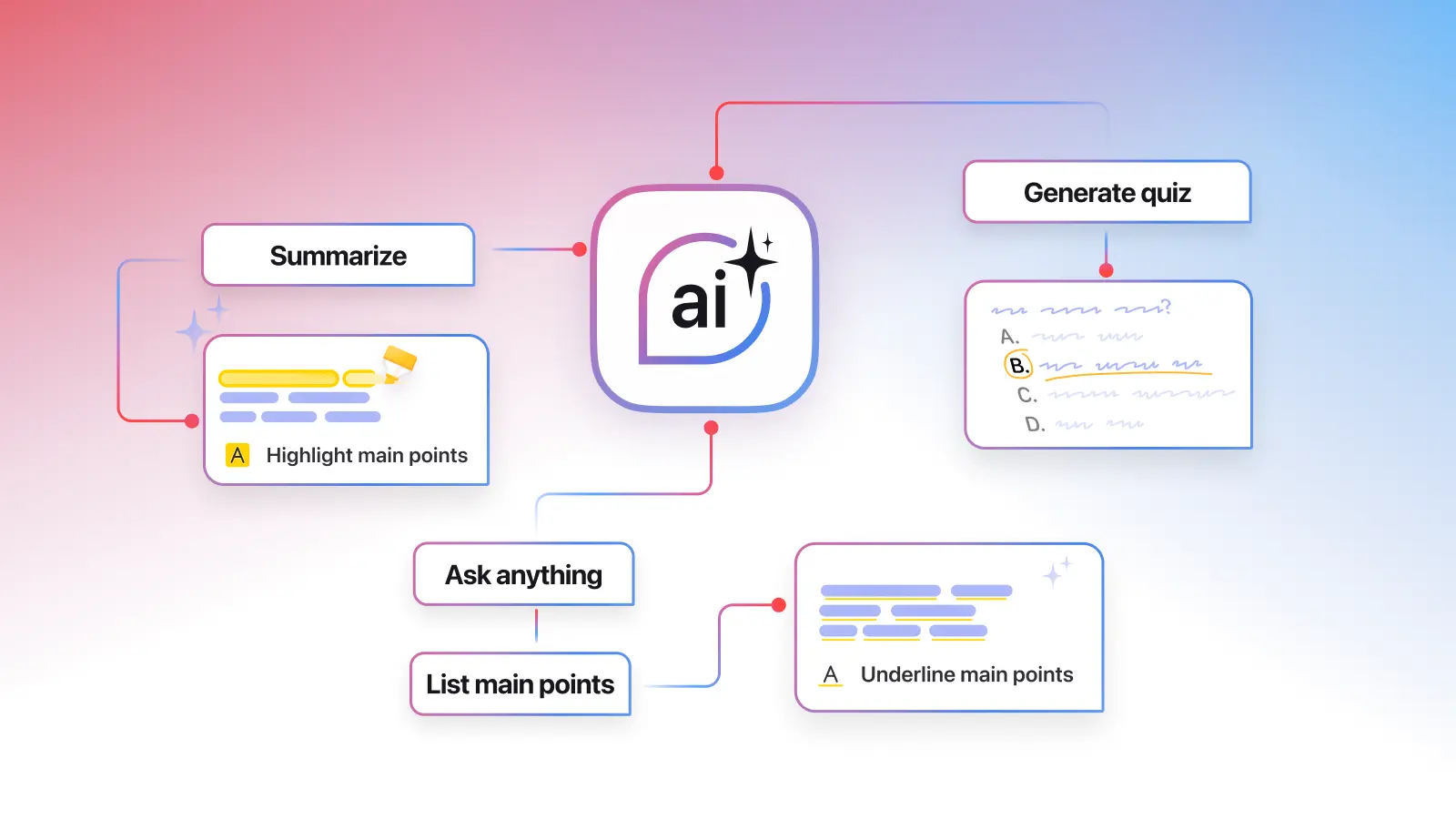
This intelligent, flexible, and powerful AI assistant can do literally anything you need and want with the PDF. PDF Copilot digests any changes in the document, allowing the chat to operate on the latest version of the document.
What makes PDF Copilot stand out:
- Real-time understanding: PDF Copilot digests changes instantly, so it always operates on the latest version of your document – even as you edit or annotate it.
- Academic powerhouse: The tool works with all types of materials – academic and digital textbooks, research papers, technical manuals, scanned documents, course materials, and more
- Instant insights: You can extract key ideas, generate summaries, or get clear explanations instantly within your document.
Contextual actions: With just one swipe, you can highlight a paragraph and choose what you want from PDF Copilot – translate, simplify, summarize, or explain. - Interactive chat: You can communicate with PDF Copilot directly by asking questions in the chat and the assistant will perform the action you need, highlight or underline the exact section it’s referencing.
- Persistent memory: Your chat history stays active, so you can revisit previous answers or continue where you left off.
To wrap it up
Now it’s your turn to make studying effortless.
Turn your PDFs into summaries and quizzes, and let AI handle the heavy lifting while you focus on learning. Download PDF Expert, launch PDF Copilot, and see how easy it is to study smarter – starting today.
 The Readdle Team