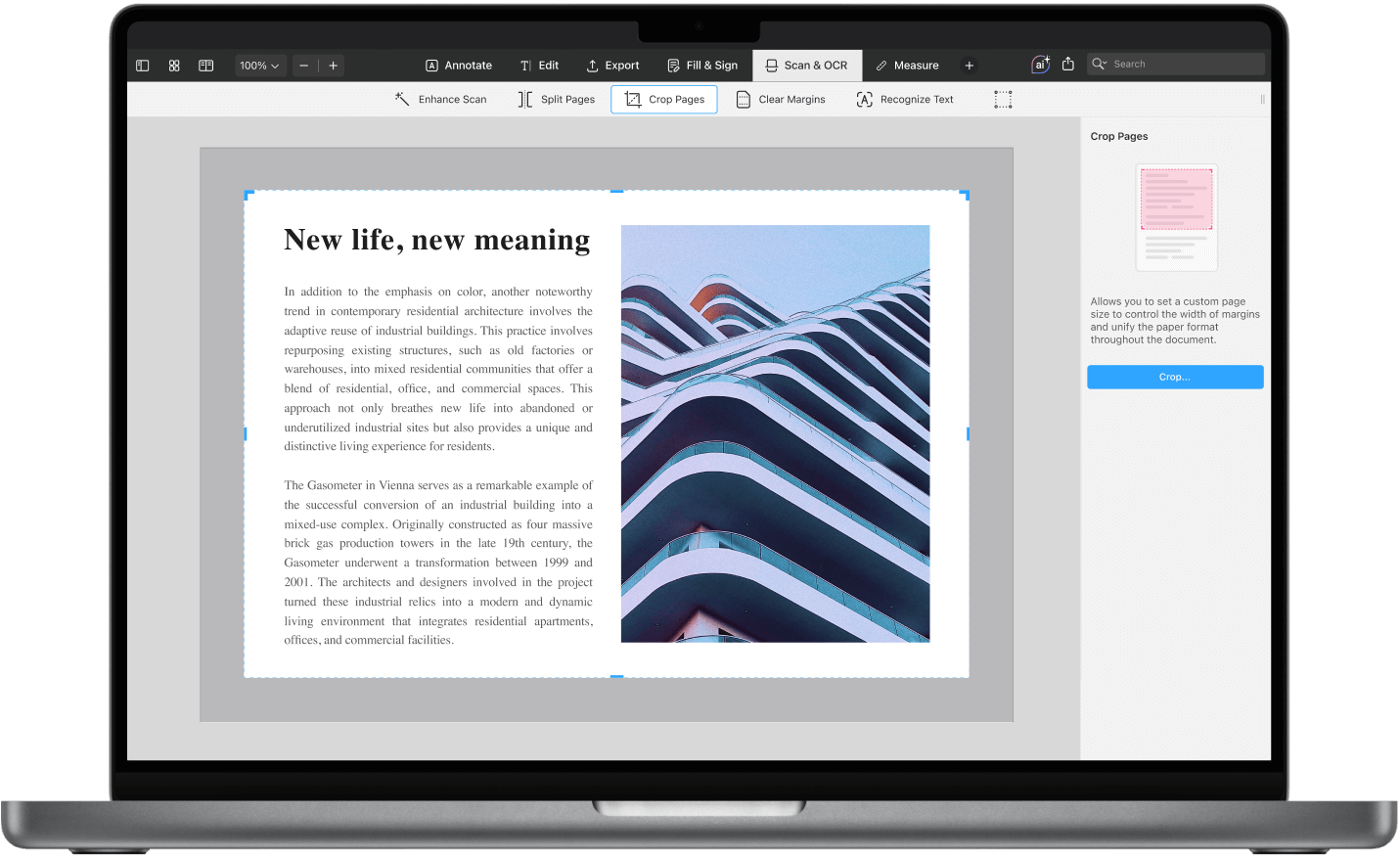
Eliminating white space in PDFs is a straightforward way to improve their appearance and usability. PDF Expert on Mac offers powerful tools to help you crop unnecessary margins and achieve a professional look.
Why remove white space?
White space can make a document feel cluttered and unbalanced. By trimming unnecessary margins, you create a more polished layout, enhance readability, and optimize your files for printing or sharing.
Step-by-step guide to removing white space from PDF on Mac
1. Open the PDF in PDF Expert
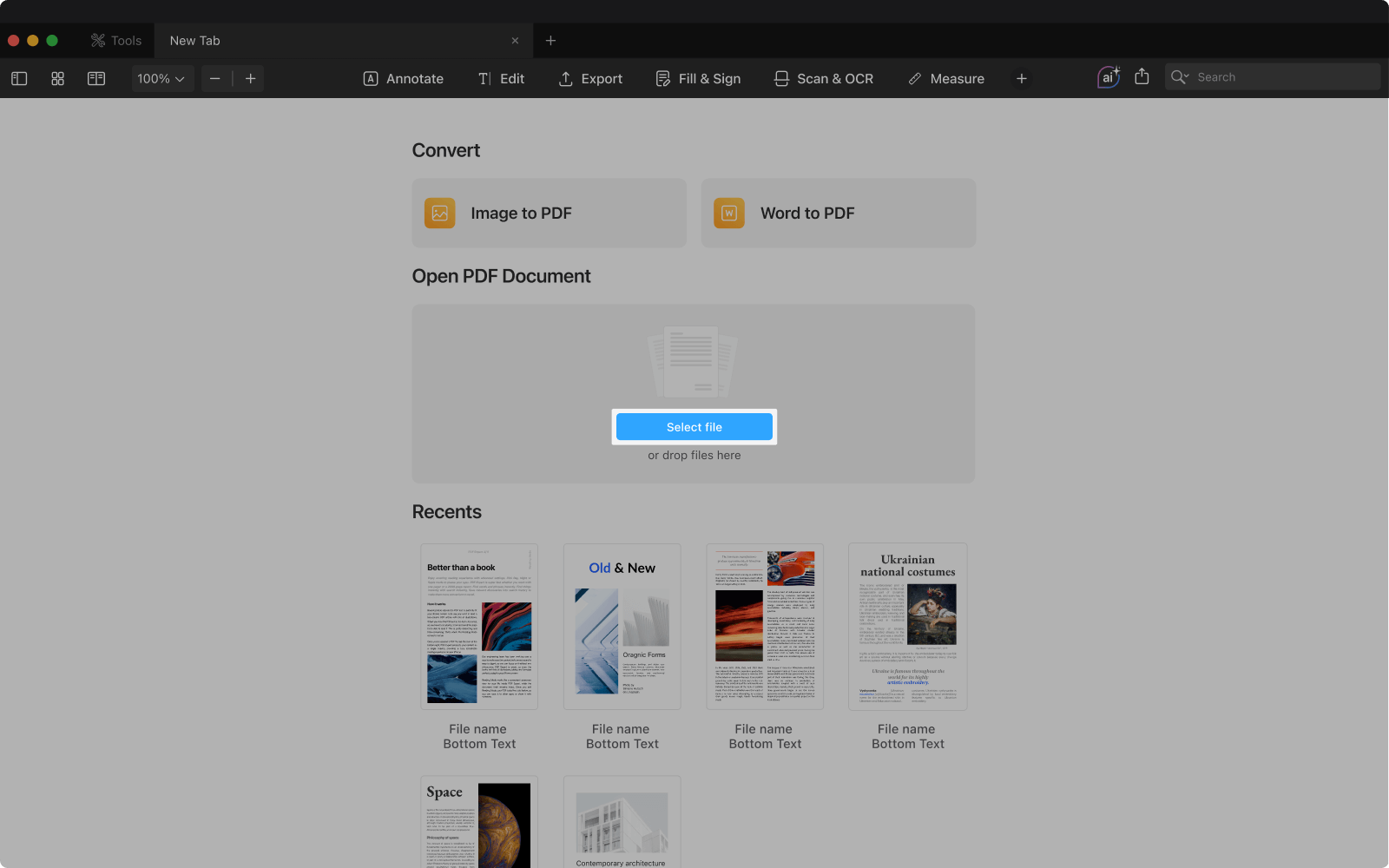
- Launch PDF Expert on your Mac.
- Navigate to Select and choose the PDF you want to edit, or simply drag and drop the file into the PDF Expert window.
2. Access the Crop tool
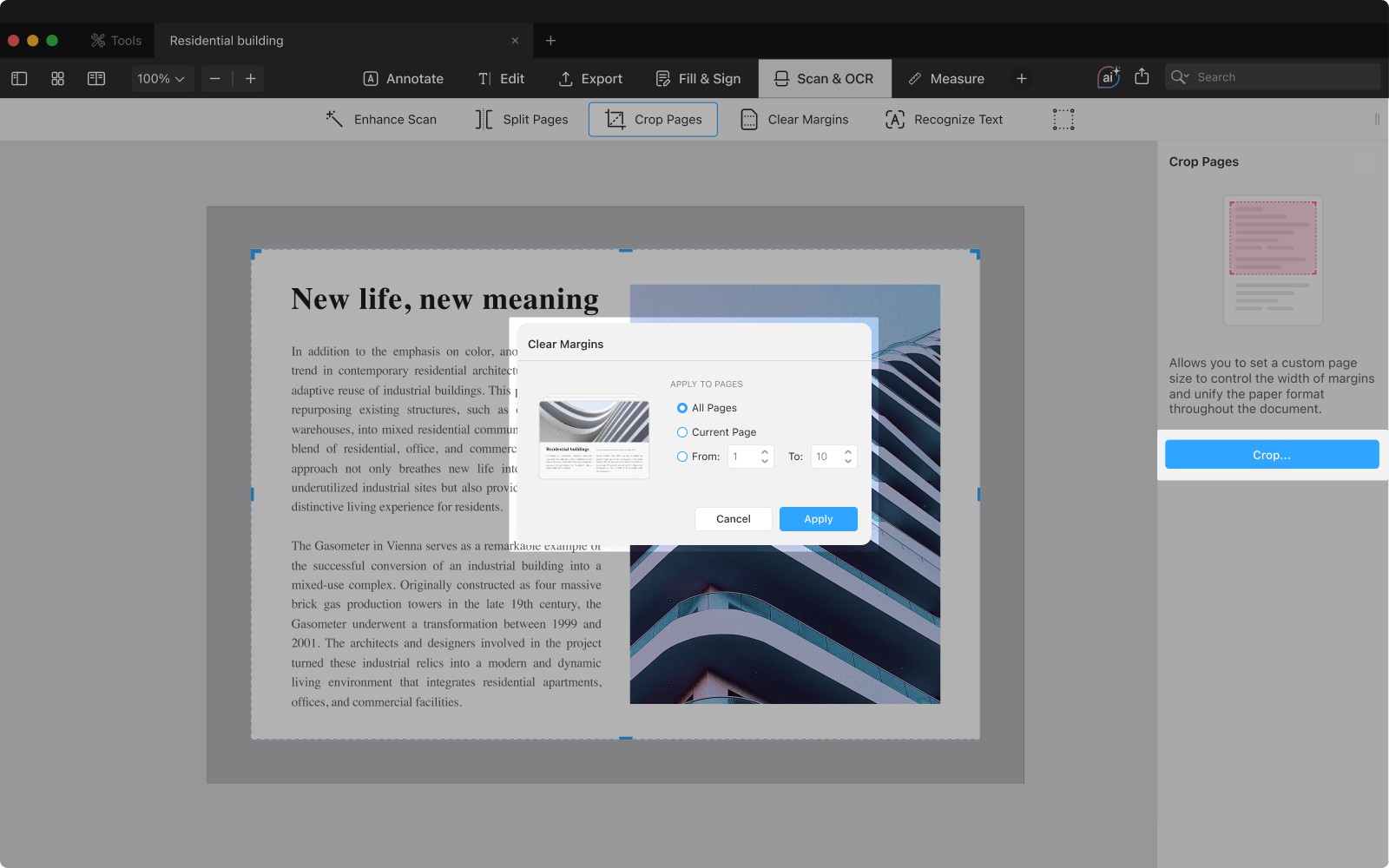
- In the top toolbar, select Scan & OCR.
- Select the Crop tool.
- Click on the document area you wish to crop, and adjust the borders to set your desired margins.
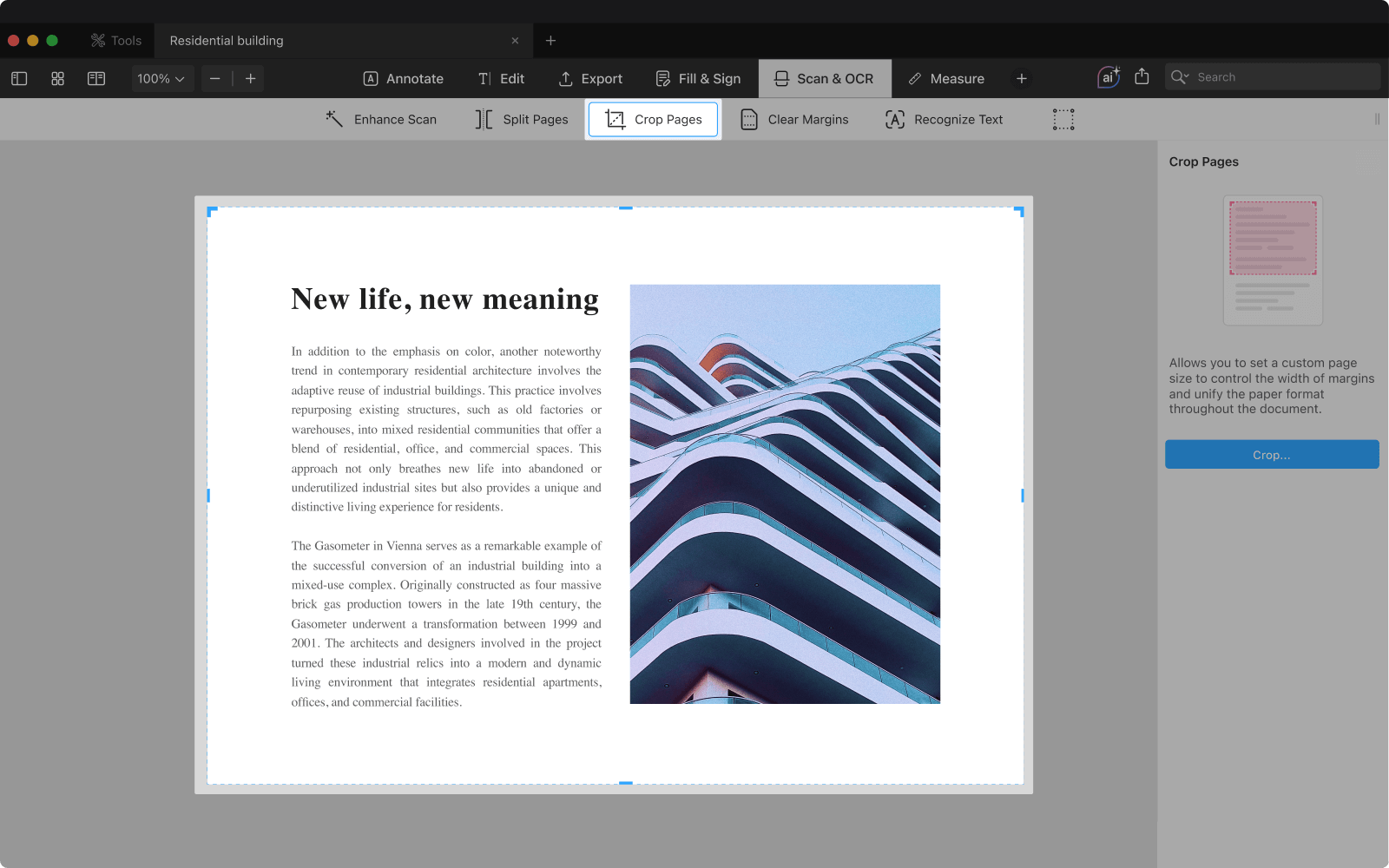
Tip: If the page is an image, use the Clear Margins option for precise cropping.
3. Adjusting and applying the Crop
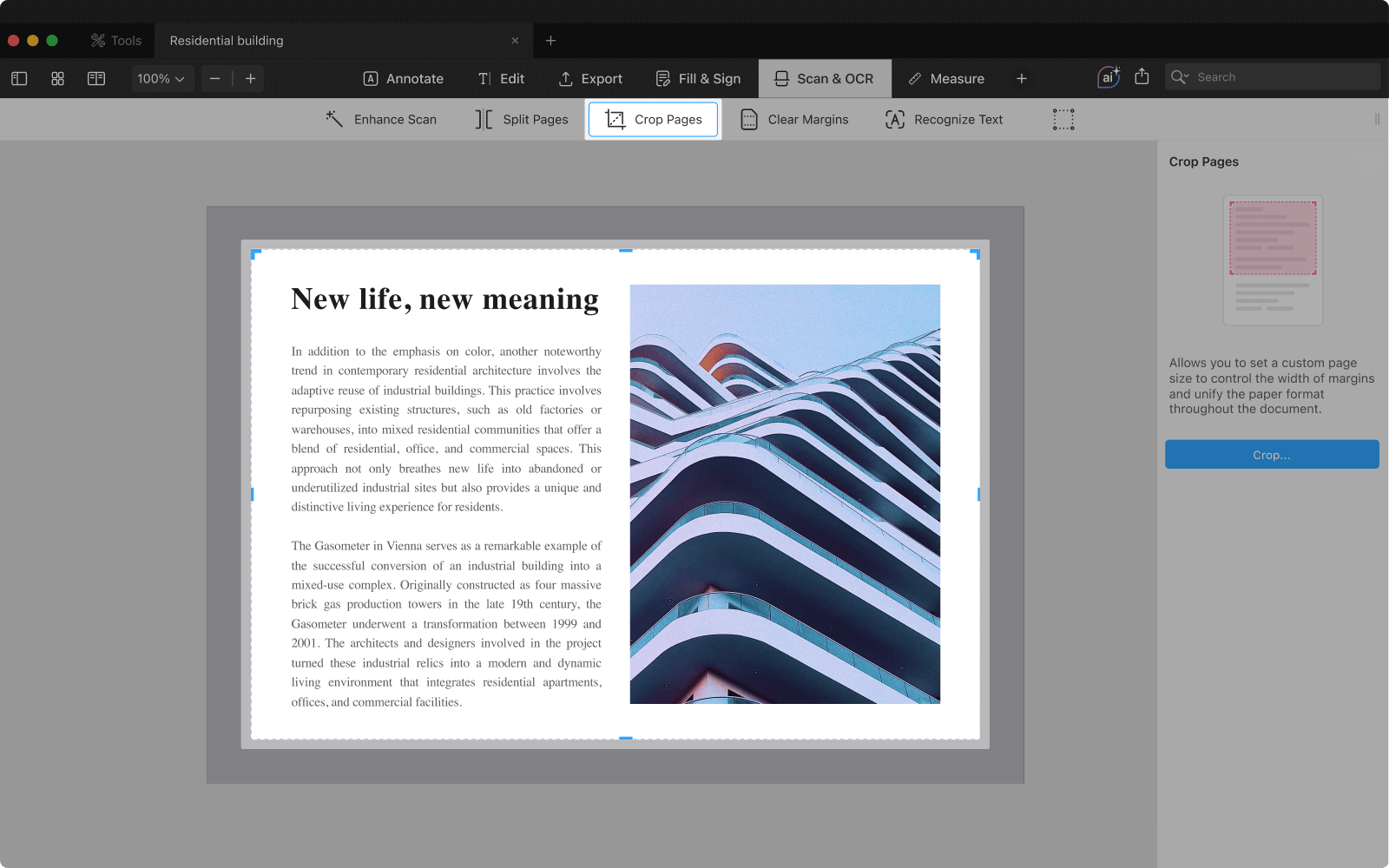
- Move the crop borders to frame the content while maintaining readability and balance.
- When you're satisfied with the adjustments, tap Crop and choose to apply the changes to the Current Page, All Pages, or specify a range by selecting From and To.
- Click on the document area you wish to crop, and adjust the borders to set your desired margins.
4. Saving your adjustments
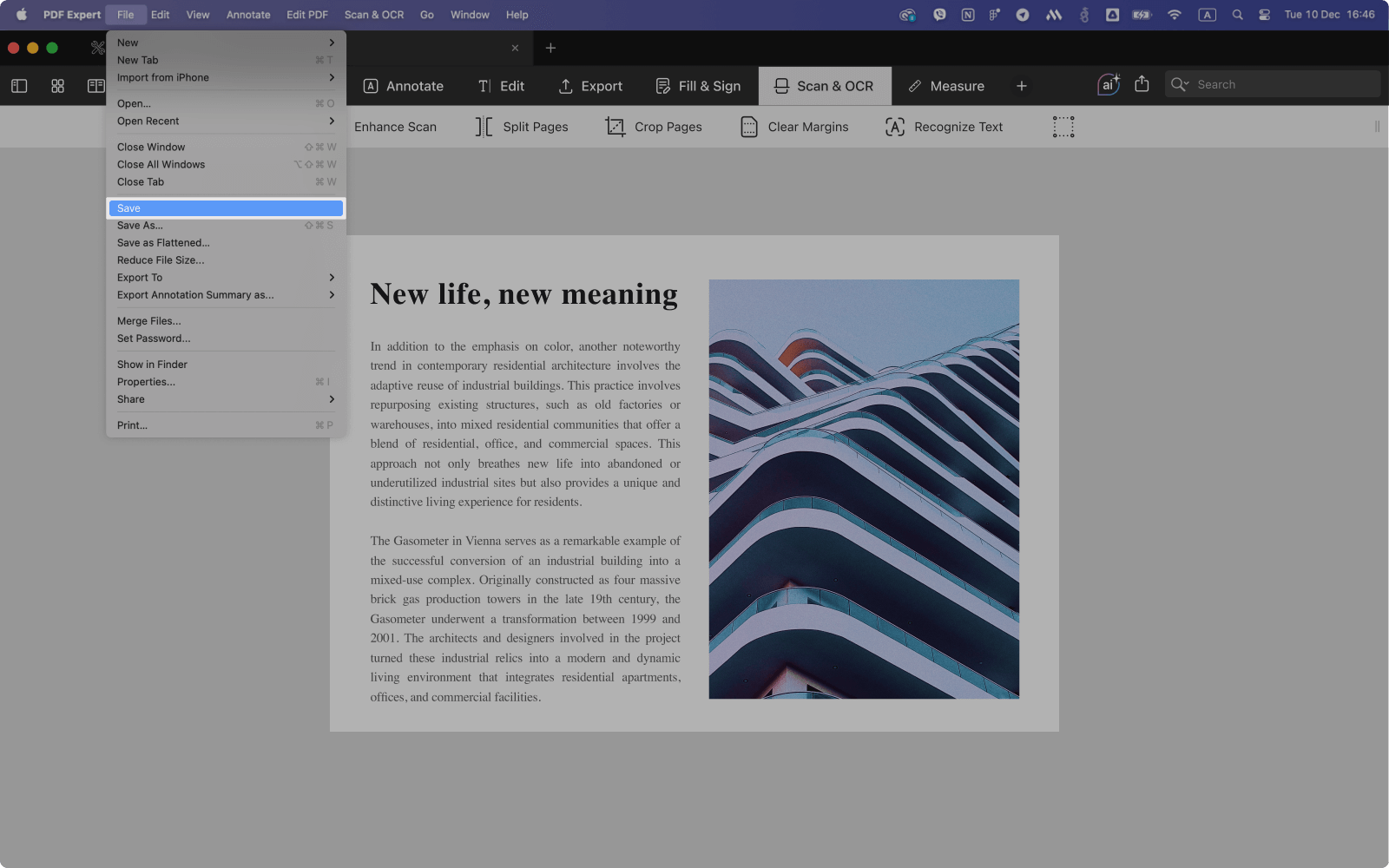
PDF Expert automatically saves your changes, but for extra assurance, go to File > Save to manually confirm your edits.
Additional tips for cropping PDFs
Cropping white space serves multiple practical purposes. Reducing margins can save paper and ink during printing while giving your document a clean, polished appearance — perfect for presentations. Cropped PDFs are also easier to navigate on smaller screens, like laptops or tablets, improving both readability and accessibility.
Conclusion
Using PDF Expert on Mac, you can effortlessly remove white space from PDF documents. With its intuitive design and advanced features, PDF Expert makes it simple to create clean, well-organized layouts in no time.
