Ever spent three hours meticulously highlighting a textbook chapter, only to realize the next morning you can’t remember a single thing? You’re not alone. Traditionally, we rely on passive studying—re-reading, highlighting, and underlining—which sometimes creates an "illusion of competence." You feel like you know the material because it looks familiar, but your brain hasn’t actually stored it. In other words, you don’t necessarily fully understand what you’ve read.
If you want to stop the cycle of forgetting and start acing your exams, you can try one of the most efficient yet simple studying methods - the Active Recall method. This evidence-based technique is the "gold standard" of learning, transforming the way you encode information so it actually sticks for the long haul.
What is Active Recall?
At its simplest, Active Recall is the process of actively stimulating your memory for a piece of information rather than just looking at it. Instead of reading a definition five times, you ask yourself a question and force your brain to retrieve the answer from scratch.
It is widely used in language learning: when you learn a new word and a teacher asks you to create a sentence using this word, or when you try to tell the story using the phrases you’ve just learned.
The scientific basis
This method is rooted in the Testing Effect. Research shows that retrieving information actually strengthens the neural pathways associated with that knowledge. Think of your brain like a forest: re-reading is like looking at a map of a trail, while Active Recall is actually walking the path. Each time you "walk" the path (retrieve the info), the trail becomes clearer and easier to follow.
When you struggle to remember something, your brain undergoes memory consolidation. This "desirable difficulty" signals to your brain that this specific information is important.
Traditional methods (like re-reading) focus on putting information into your brain. Active Recall focuses on getting information out of your brain. Scientific studies, including those published in PubMed (The Use of Retrieval Practice in the Health Professions: A State-of-the-Art Review; Authors: Michael J Serra 1, Althea N Kaminske, Cynthia Nebel, Kristen M Coppola), consistently show that students who use retrieval practice often outperform those who spend time re-reading.
The 3-Step Active Recall method
Ready to try it? You can start with a very simple 3-step approach :
- Study the material: Give the text or lecture slides your full attention. Aim for understanding, not just memorization.
- Close your materials: This is the hardest part. Put the book away, turn off the screen, or hide your notes. No peeking!
- Retrieve from memory: Write down everything you remember on a blank sheet of paper, or say it out loud as if you were teaching a class.
Pro Tip: Don't get discouraged if you only remember 20% the first time. The "struggle" to remember is exactly where the learning happens.
7 practical Active Recall techniques
There are many ways to apply Active Recall studying depending on your subject:
|
Method |
Description |
When to use |
|
The Blurting method |
Read a page, close the book, and "blurt" out everything you remember onto a blank PDF or piece of paper. |
When you need to remember a smaller volume of information. |
|
Flashcards |
The classic tool for testing your knowledge. |
It’s especially good for remembering structured information, such as definitions and dates. |
|
The Feynman technique |
Explain a concept in simple terms as if you were teaching a 10-year-old. |
With big, complex topics |
|
Practice questions |
Use the questions at the end of a textbook chapter before you start reading to prime your brain. You can also ask PDF Copilot in PDF Expert to create a Quiz out of your document and test yourself before reading the PDF. |
When you have limited time to learn new material. |
|
Mind mapping from memory |
Draw a concept map without looking at your notes, then use a different color pen to add what you missed. |
When you need to connect new information to the topic you are learning. |
|
Past paper practice |
The ultimate way to simulate the exam environment, using previous years’ exam papers for practice. |
During exam preparation |
|
Closed-book note-taking |
Instead of taking notes while watching a lecture, wait until the end and write a summary of the key points from memory. |
Right after you listened to/watched the lecture. |
Active Recall for ADHD students
Active recall is a game-changer for ADHD brains. Why? Because passive reading is under-stimulating, leading to "zoning out," while Active Recall methods offer more involvement and diversity.
- Engagement: Active Recall turns studying into a game or a puzzle, providing the immediate feedback ADHD students crave.
- Novelty: Switching between "blurting," teaching aloud, and flashcards keeps the brain engaged.
- Gamification: Try using a timer (Pomodoro) to see how much you can "blurt" in 5 minutes to add a sense of urgency.
Using PDF Expert for Active Recall
While the method is powerful, the right tools make it easier to test it out and practice. PDF Expert is a versatile tool that enables students to organize studying materials and use different studying techniques in a way that works best for them.
1. Generating a Quiz
Open a textbook and, before reading it, use PDF Copilot to generate a quiz out of the document. Do the quiz first - you will probably fail, but your brain will be ‘craving’ for the right answers now.
2. The "Margin question" technique
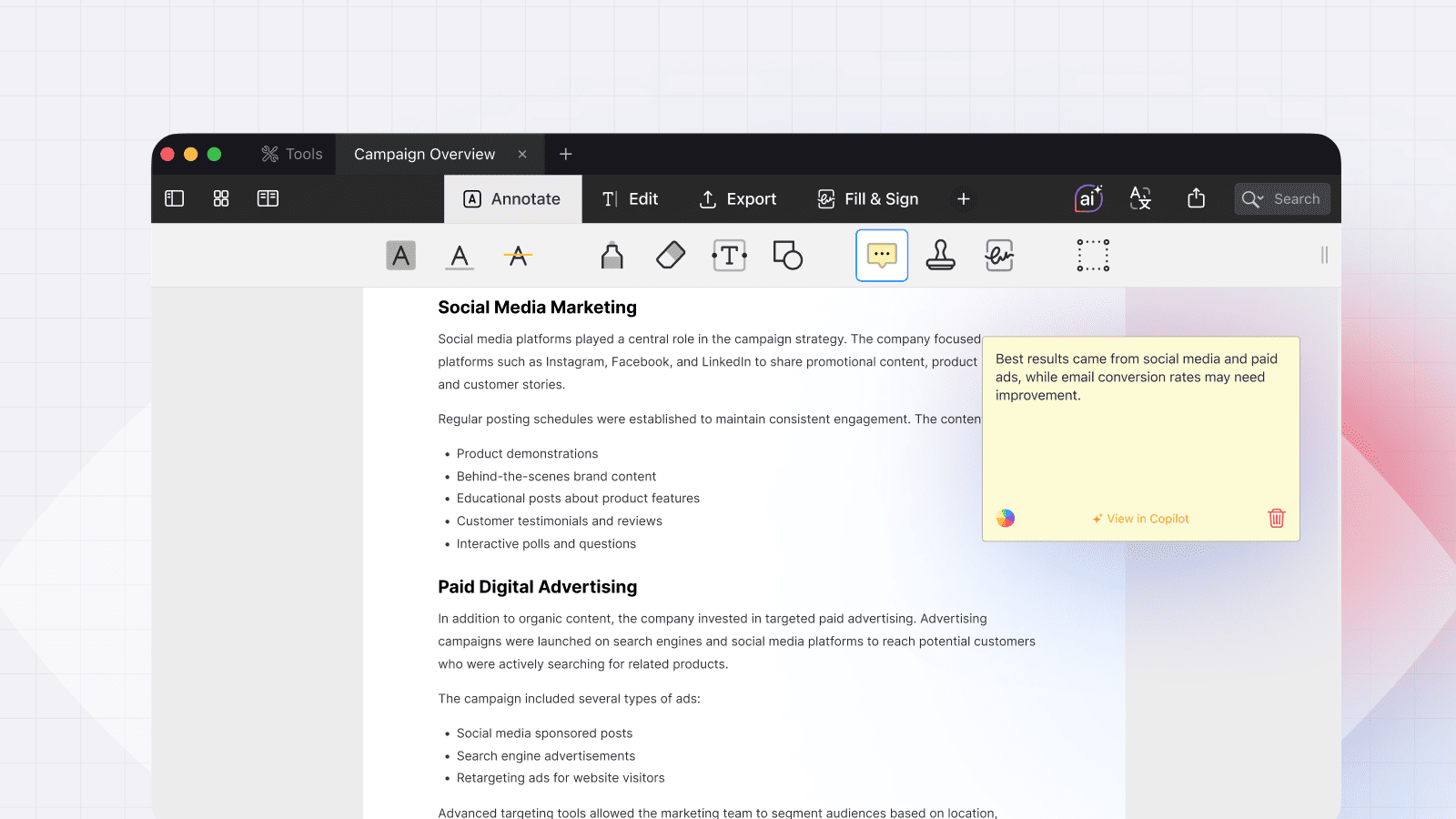
As you read a PDF textbook, use the Notes tool to write a question in the margin for every paragraph. When you review the document later, focus on your questions and try to answer them before reading the text.
3. Split View for instant notes
Open a PDF in PDF Expert on one side of your iPad and a blank Notes file on the other. Perform your "blurting" on the blank page, then immediately compare it to the source to see what you missed.
4. Audio notes for the Feynman technique
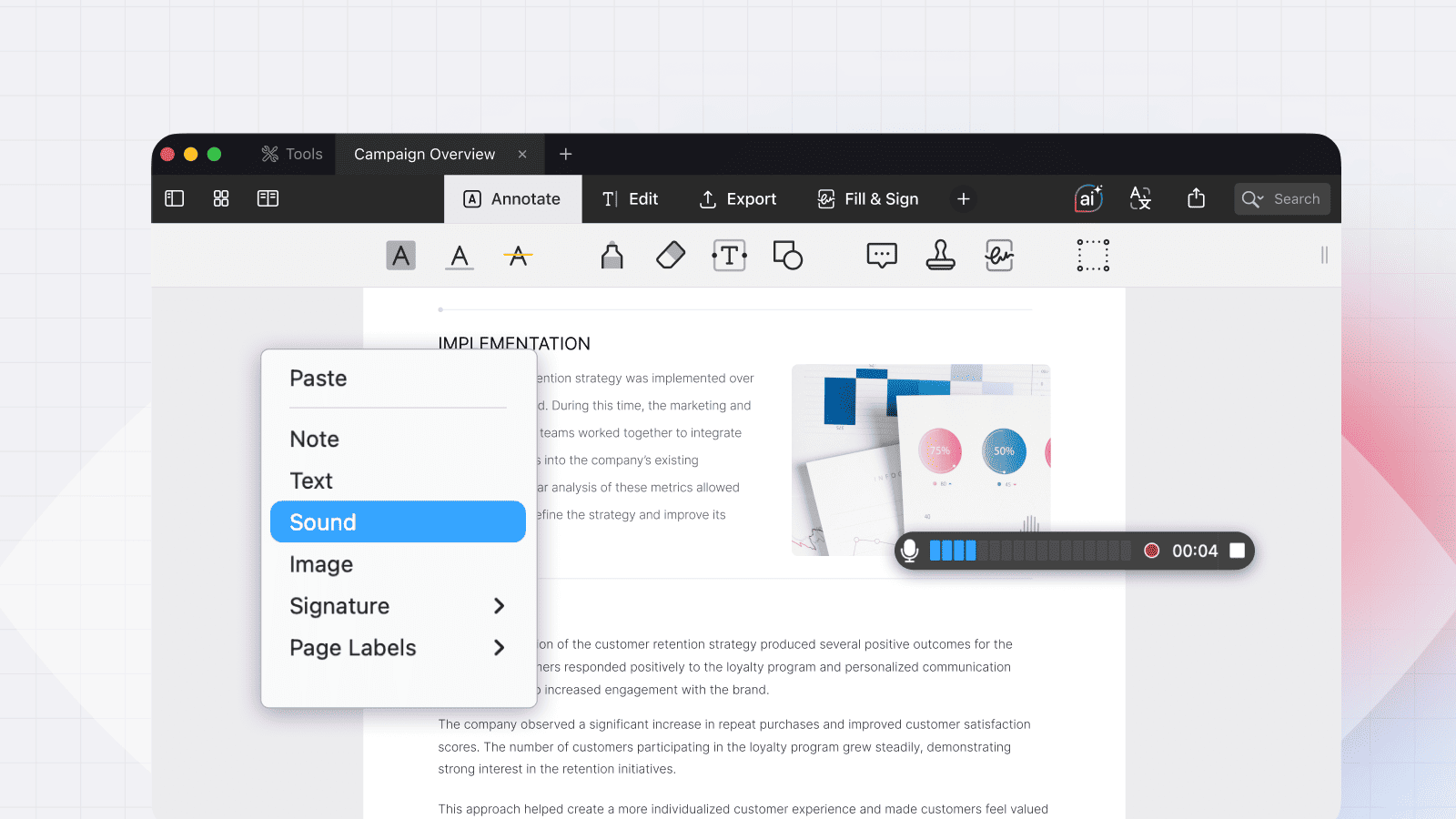
Can’t find a friend to teach? Use the Audio notes tool in PDF Expert to record yourself explaining a concept and leaving this comment in the source file. Listening back to your explanation is a powerful way to spot gaps in your logic.
Active Recall works best when paired with Spaced Repetition. Don't just test yourself once—review your notes and audios again 2 days later, then 1 week later, then 1 month later. This moves information from your short-term memory into your long-term storage.
Common Active Recall mistakes to avoid
- Peeking too early: If you look at the answer the second you feel stuck, you lose the "testing effect" benefit.
- Mistaking recognition for recall: Just because a sentence looks familiar doesn't mean you can reproduce it from scratch.
- Only testing easy material: We tend to quiz ourselves on what we already know. Focus on the "red-zone" topics that confuse you.
- Not reviewing incorrect recalls: Don’t feel bad about parts you couldn’t recall! These are the exact areas you should focus on: reread, note down, and explain to someone.
Conclusion: Struggle is learning
Active Recall isn't the "easy" way to study—it's the effective way. If your brain feels a little tired after a study session, that’s a good sign! It means you’re actually building knowledge rather than just skimming over it.
Ready to transform your grades? Start by downloading PDF Expert today and using the Generate Quiz and Audio Notes tools to easily start using the Active Recall system on your Apple devices. Your future, exam-crushing self will thank you.
 Yevheniia Dychko