What Is a Commonplace Notebook?
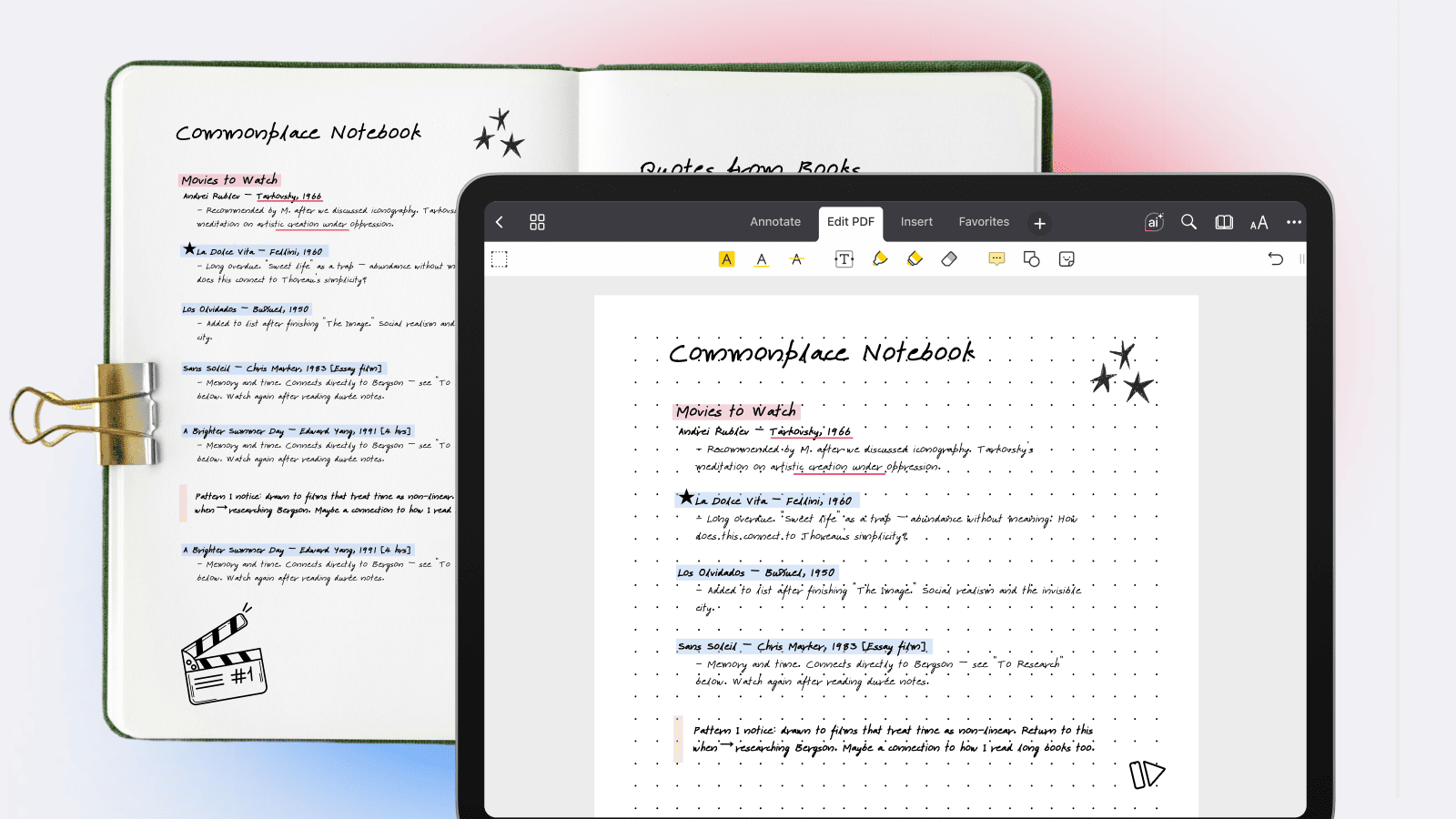
A commonplace notebook (also called a commonplace book) is a personal knowledge repository where you collect and organize the most valuable ideas, quotes, observations, and references you encounter in daily life. Unlike a standard notebook where you jot down fleeting thoughts or to-do lists, a commonplace notebook is designed to be a lasting, curated record of knowledge you want to return to again and again.
Metaphorically speaking, this is your own personal encyclopedia: a single place where the most important fragments from books, conversations, lectures, podcasts, and your own thinking all live together, organized so they're easy to find and revisit.
The word "commonplace" doesn't mean ordinary. It comes from the Latin locus communis, meaning a "common place" or shared topic: a heading under which related ideas are gathered.
So a commonplace notebook is, at its heart, a system for sorting knowledge by theme, making connections across different sources, and building a personal reference library that grows with you.
A Brief History of the Commonplace Book
The practice dates back to ancient Rome, where students and scholars kept collections of notable passages arranged under topical headings. The method became especially popular during the Renaissance, when figures like Erasmus formally recommended it as a tool for education and rhetoric.
By the 17th and 18th centuries, keeping a commonplace book was considered an essential habit for any educated person. The philosopher John Locke even published a widely adopted method for indexing in 1706, called A New Method of Making Common-Place-Books.
Among the most famous commonplace book keepers are Thomas Jefferson, Virginia Woolf, Ralph Waldo Emerson, H.P. Lovecraft, and Marcus Aurelius.
Today, the practice is experiencing a revival: fueled by the productivity and personal knowledge management movements, and by digital tools that make organizing a commonplace notebook system far easier than a handwritten ledger ever allowed.
What Is the Difference Between a Journal and a Commonplace Book?
This is one of the most common questions newcomers ask, and the confusion is understandable: both are personal, both involve writing, and both grow over time. But they serve fundamentally different purposes.
A journal is inward-facing. It's about documenting your personal experiences, emotions, and daily life. Journal entries are typically chronological, autobiographical, and reflective. When you journal, you're processing your inner world.
A commonplace notebook is outward-facing. It's about collecting and organizing knowledge from the external world: the best ideas, quotes, frameworks, and references you encounter. When you maintain a commonplace book, you're building an external brain for what you've learned.
A journal asks, "What did I feel or experience today?" A commonplace notebook asks, "What's the most important idea I encountered today, and where does it fit with everything else I know?"
That said, many people blend the two - adding brief personal reflections alongside collected quotes and ideas. This hybrid approach is perfectly valid. The commonplace tradition has always been flexible; the goal is a system that helps you think better.
What Should Be Included in a Commonplace Book?
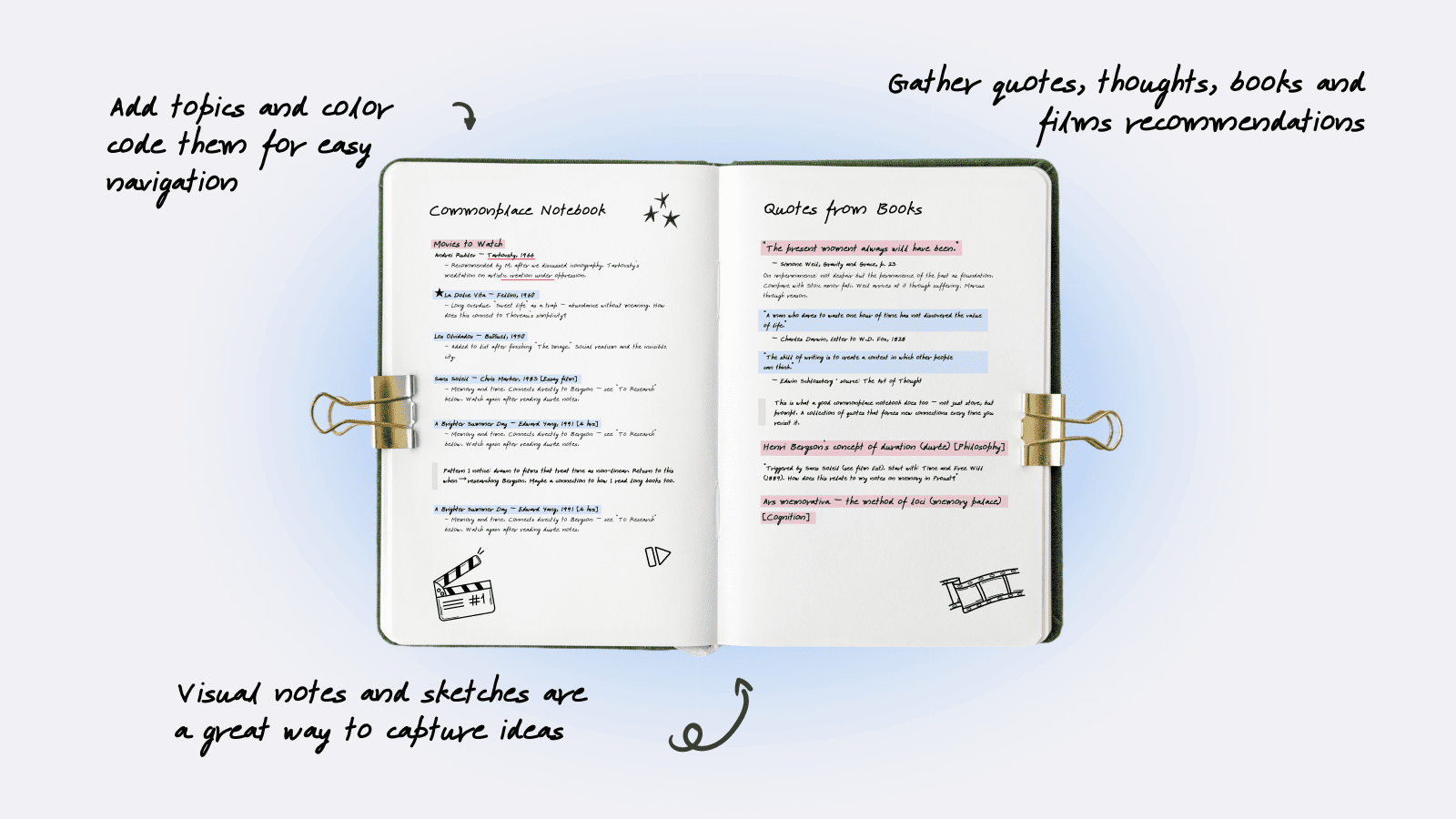
There are no rigid rules, but the most effective commonplace notebooks tend to include a wide variety of material. The power comes from the diversity of sources meeting in one place and sparking unexpected connections. Here's what seasoned practitioners typically collect:
- Quotes and passages from books, articles, essays, and speeches that resonated deeply - the ideas you underline twice.
- Personal reflections on those passages: why they struck you, how they connect to something else you've read, what questions they raise.
- Vocabulary and definitions, especially technical terms or beautifully precise words you want to remember.
- Frameworks and mental models: distilled principles from disciplines like economics, psychology, design, or philosophy that help you see the world more clearly.
- Lists and references: reading lists, influential thinkers, key dates, useful statistics, and facts you want at your fingertips.
- Original ideas and hypotheses: your own emerging thoughts, hunches, and half-formed theories that deserve a place to develop.
- Diagrams, sketches, and visual notes that capture relationships between concepts.
- Poetry, song lyrics, or prose that moves you, regardless of whether it's "useful."
Pro Tip: Always record the source alongside any excerpt: author, title, page number. Your future self will thank you when you want to cite something or revisit the original context.
Commonplace Notebook Ideas to Get You Started
When you first consider any specific systematic approaches to handling information, you don't need to start from something complex right off the bat. There's always an option to start simple.
For instance, our senior product engineer, Dmytro, has a very creative and structured workflow similar to what Commonplace Notebook does, but in the free Notes app.
His system is built around domains of life, each represented by its own folder: around 20 in total, covering work, university, sport, home, and so on. Inside Readdle, for example, he keeps separate notes for current TODOs, one-to-ones, things to read or watch, drafts of important messages to the team, and deep dives into larger tasks.
Occasionally, he goes through the folders to clean out what's no longer relevant, or to revisit old thoughts that suddenly feel useful again.
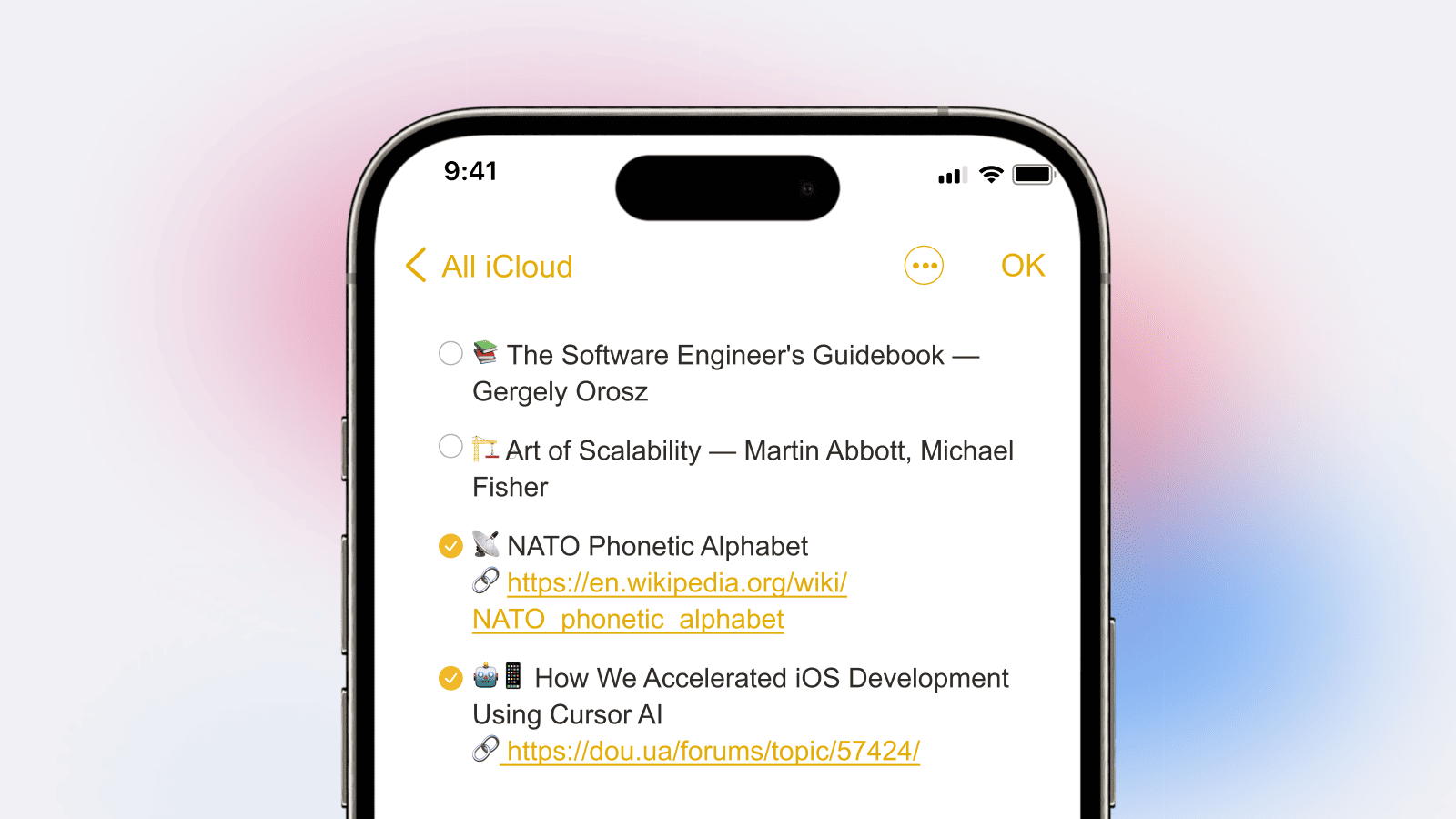
The notes themselves come in different shapes. One might be a task breakdown with key theses from documentation, links, and screenshots, almost like a personal JIRA task, where resolved items get crossed out instead of deleted.
Another note might be a bullet list of things colleagues recommended, so he can see at a glance what he's already gone through. And sometimes it's a single line: something overheard at a conference, written down immediately so it isn't lost, to be revisited in a quieter moment.
If you're not sure what to collect, here are practical commonplace notebook ideas organized by theme.
Pick one or two that align with your interests and expand from there.
The Reader's Notebook
Collect the best passages from every book you read, grouped by theme (leadership, creativity, history). Add your own reactions and connections.
A physical Commonplace notebook could be a great option for gathering quotes from books. Kortni, an avid reader, collects interesting bits from books and movies and later rereads them - she finds it makes her more engaged with reading.
The Professional Knowledge Base
Curate industry insights, key frameworks, project lessons learned, and expert advice relevant to your career or field.
The Creative Swipe File
Save writing techniques, compelling headlines, design references, color palettes, and any creative work that inspires you.
The Philosopher's Notebook
Gather quotes and arguments from thinkers across traditions. Map debates, track your evolving beliefs, and wrestle with big questions.
The Student's Study Companion
Organize key concepts, definitions, formulas, and lecture excerpts by subject. Build a personal reference that outlasts the semester.
The Life Wisdom Collection
Capture advice from mentors, lessons from mistakes, principles you want to live by, and reflections on experiences that shaped you.
Building a Commonplace Notebook System
A commonplace notebook system is what separates a useful knowledge repository from a chaotic dump of highlights. The system doesn't need to be complex, but it does need to exist. Here's how to build one:
- Choose your categories. Start with 5–10 broad themes that reflect your interests: Philosophy, Leadership, Writing, Psychology, Health, History, etc. You can always add more.
- Establish a capture habit. Set a routine: at the end of each reading session (or each day), transfer your best highlights and ideas into your commonplace notebook. Regularity matters more than volume.
- Tag and cross-reference. Every entry should be tagged with its category and source. If an idea connects to another entry, note the link. Over time, this cross-referencing web is what makes the system genuinely powerful.
- Build an index. Whether it's a table of contents at the front, a tag-based system, or a search function in a digital tool, some form of index is non-negotiable. Without it, your collection becomes a graveyard of forgotten excerpts.
- Review regularly. Schedule weekly or monthly reviews. Re-read entries, add new reflections, reorganize as your thinking evolves. A commonplace notebook is a conversation with your past self; it only works if you keep talking.
How to Build a Digital Commonplace Notebook in PDF Expert
PDF Expert by Readdle is a natural fit for a digital commonplace notebook, and one of the most powerful tools for bringing this centuries-old system into the modern era. Here's why it works so well, and exactly how to set it up.
Why PDF Expert?
Most of the knowledge we consume today arrives as PDFs: ebooks, research papers, reports, saved web articles, scanned book pages. PDF Expert lets you work directly on these documents rather than copying text out into a separate app. This means your annotations, highlights, and notes stay connected to their original context: exactly what a good commonplace notebook system demands.
PDF Expert also offers powerful annotation tools (highlights in multiple colors, text notes, stamps, drawings), full-text search across your library, the ability to organize files into folders, and seamless sync across Mac, iPhone, and iPad. Together, these features let you build a searchable, color-coded, cross-referenced commonplace notebook that lives inside your existing reading workflow.
Setting up your system: step by step
- Create a dedicated "Commonplace" folder structure
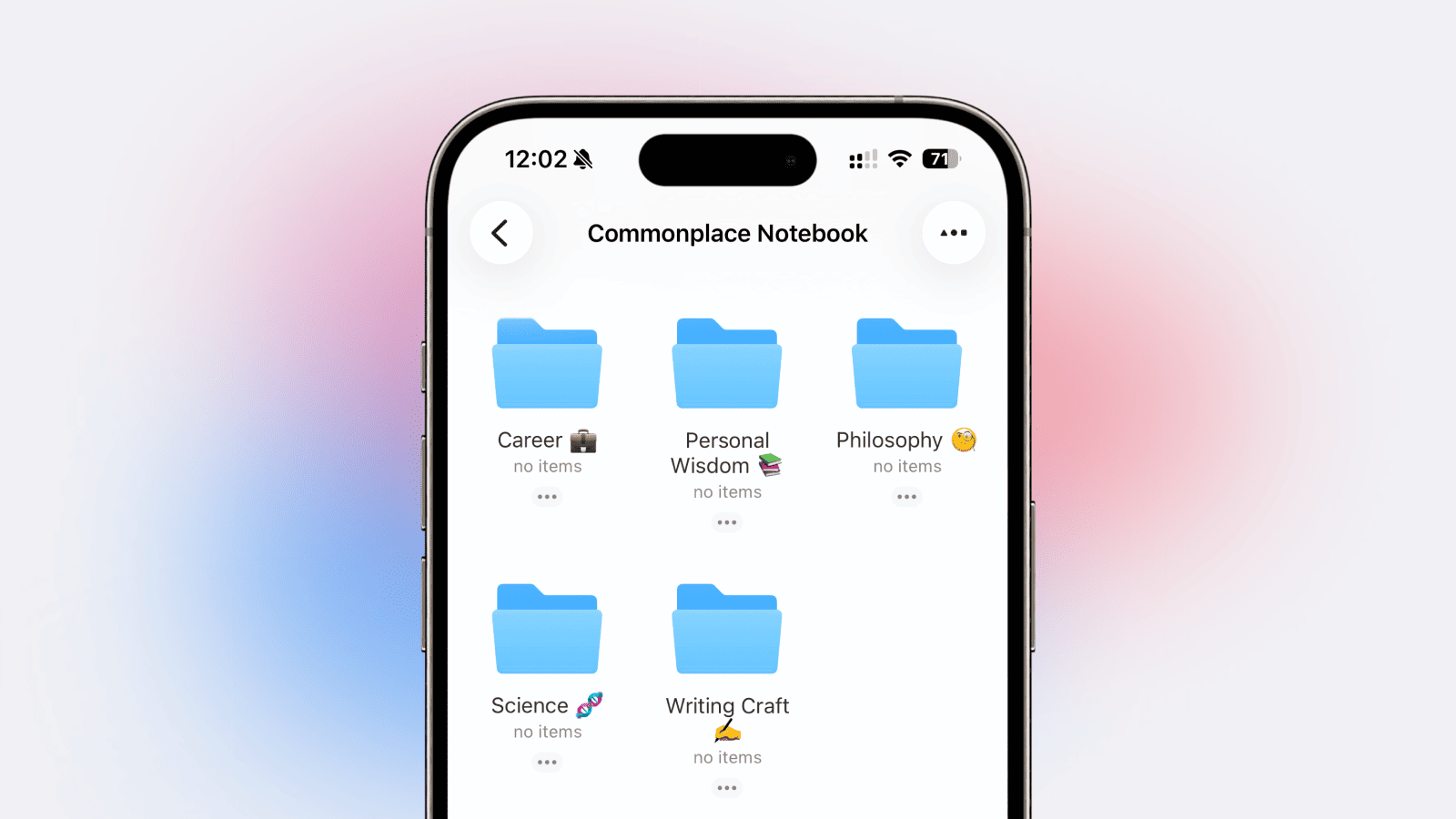
In PDF Expert's file manager, create a top-level folder called Commonplace Notebook. Inside it, create subfolders for your main categories: for example: "Philosophy," "Writing Craft," "Science," "Career," and "Personal Wisdom." This folder structure becomes your index.
2. Develop a color-coded annotation system
Assign highlight colors to different types of content: yellow for key ideas and passages, pink for things you disagree with or want to challenge, blue for definitions and factual references, and green for actionable takeaways. Add text annotations with your personal reflections alongside each highlight.
3. Use the Annotation Summary as your commonplace index
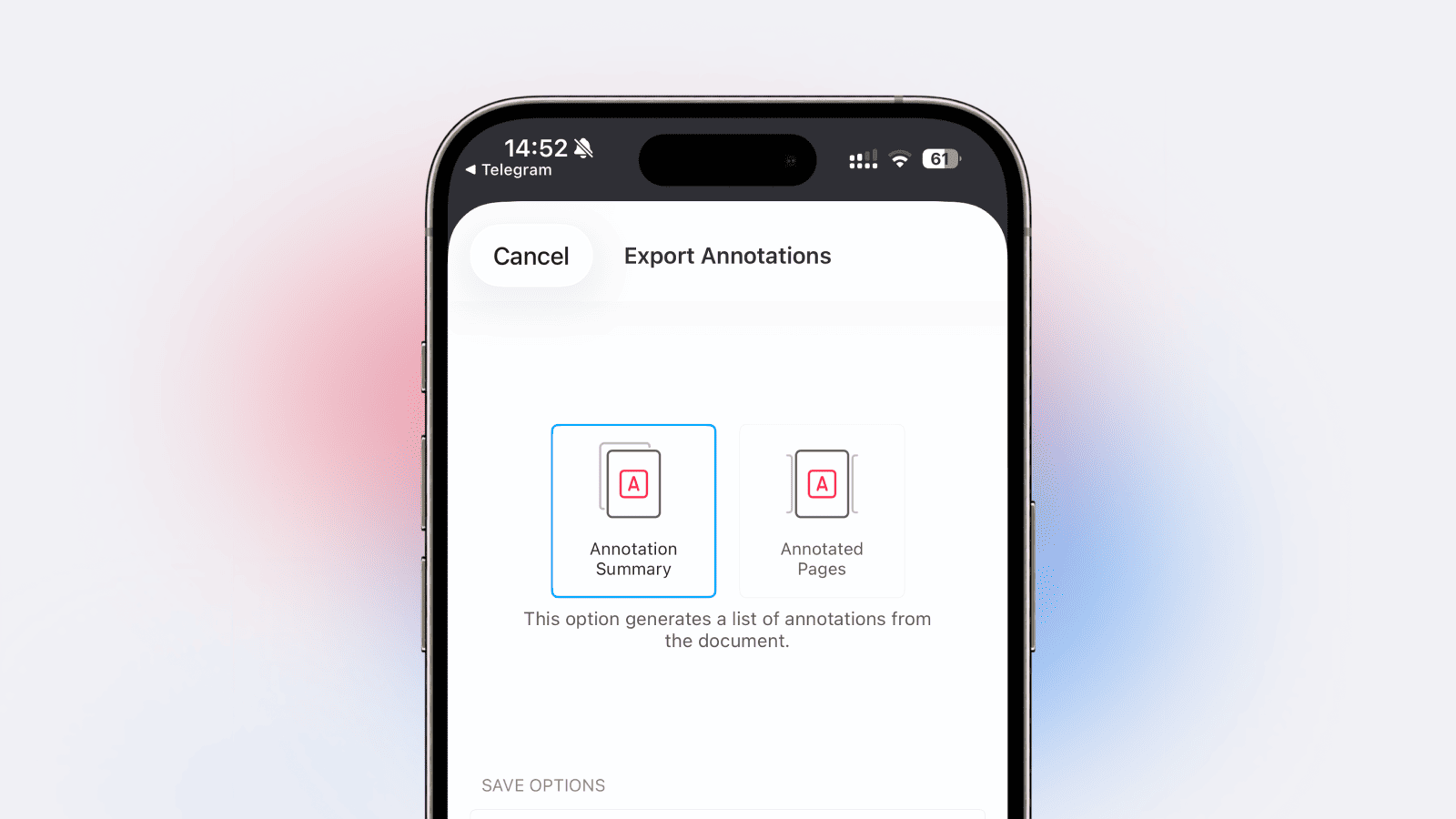
PDF Expert can export all annotations from a document into a single summary. This becomes your per-source "commonplace page": every important quote, note, and reflection extracted into a scannable list with page references. Export these summaries as PDFs and save them in your category folders.
4. Create a master "Commonplace Index" PDF
Build a single PDF document that serves as your master table of contents. List your categories, sub-themes, and the key sources filed under each. Update it as your collection grows. Use internal links or a consistent naming convention so you can find any entry quickly.
5. Use search to connect ideas
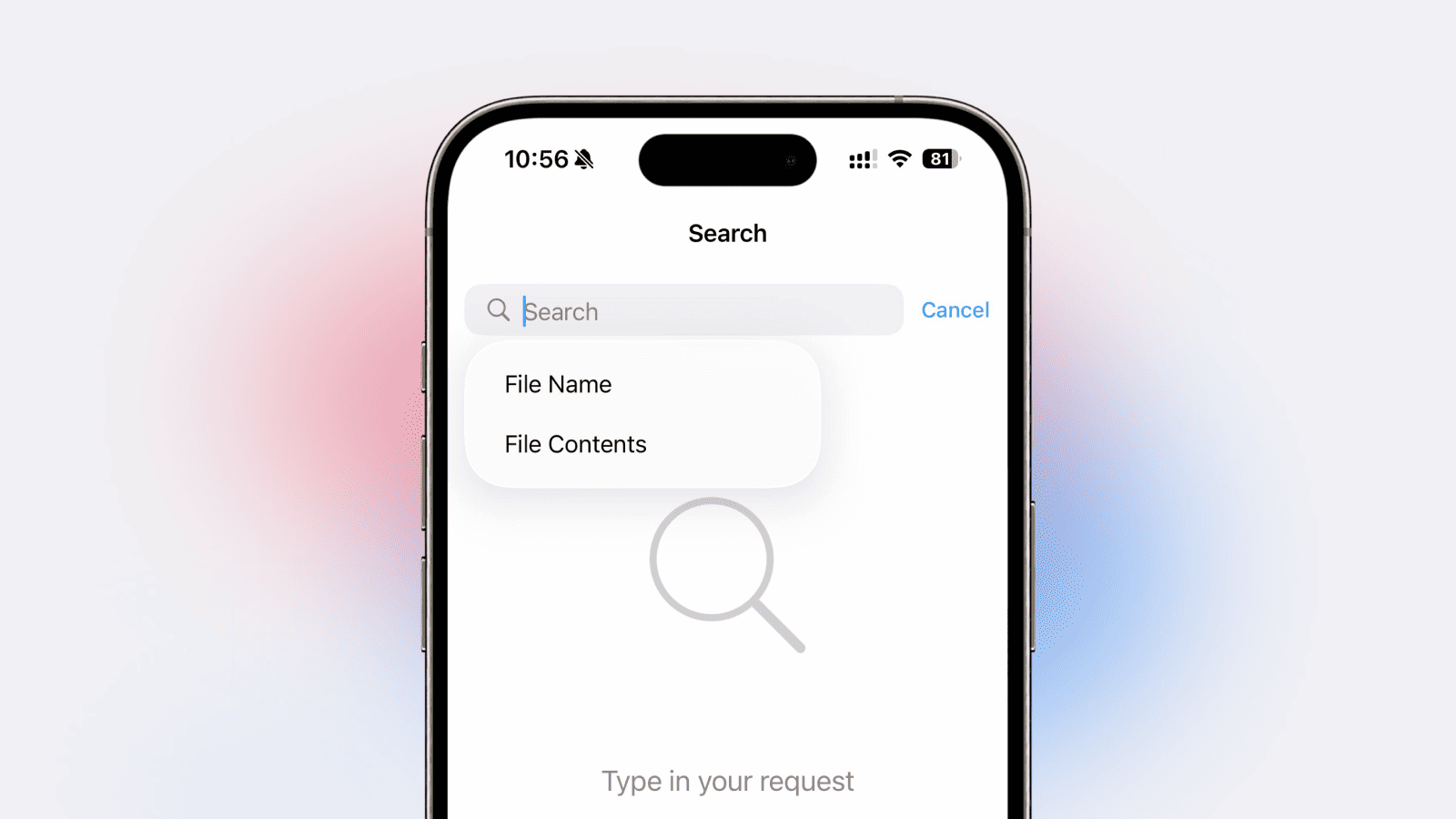
One of the biggest advantages of a digital commonplace notebook is full-text search. In PDF Expert, you can search across all your annotated documents to find every instance of a concept, author, or keyword. This lets you make connections across sources that would be almost impossible in a physical notebook.
Physical commonplace notebooks require you to copy passages by hand - a valuable practice, but one that creates friction and limits volume. PDF Expert eliminates the friction while preserving what matters: the act of selecting what's important, reflecting on it in your annotations, and organizing it by theme. Your highlights and notes become a searchable, color-coded knowledge system that grows naturally from the reading you're already doing.
PDF Expert gives you the annotation, organization, and search tools to build a commonplace notebook system that grows with you: across every book, article, and document you read. Start simple by saving screenshots of quotes and images, and noting down thoughts in a dedicated PDF.
More reads:
How to annotate PDFs on iPhone and iPad
Automatically generating study aids from PDFs: how to upgrade your study routine
Caio Duarte: how PDF Expert’s OCR has made studying faster
 Marina Leyko